Steam Deck fixes
Paradox Launcher on Steam Deck: how to create an account and sign in with your phone
Pressing Play on a Paradox game opens the Paradox launcher first, and it wants you signed in to a Paradox account. On a Deck that means filling a form with an e-mail, a password, a country and a date of birth while the on-screen keyboard covers half of it.
Valve rates Crusader Kings III Playable on Steam Deck (checked on its Steam store page on 16 October 2026). The one thing Valve's panel flags is that the game sometimes shows mouse, keyboard or non-Steam-Deck controller icons; it also says the text is legible and the default controller configuration reaches everything. The launcher that opens before the game is a separate piece of software, and it is the part this guide is about.
A Paradox game on the Steam Deck does not start when you press Play. The Paradox launcher opens first, and before it lets anything through it wants you signed in to a Paradox account — e-mail, password, country, date of birth. On a desktop that is a minute of typing. On a Deck the on-screen keyboard covers half the form, and this is where people put the game down.
The phone fixes the typing rather than the launcher: it connects over Bluetooth as a plain mouse and keyboard, so the form gets filled from the device you already type on all day.
Video tutorial
Step by step
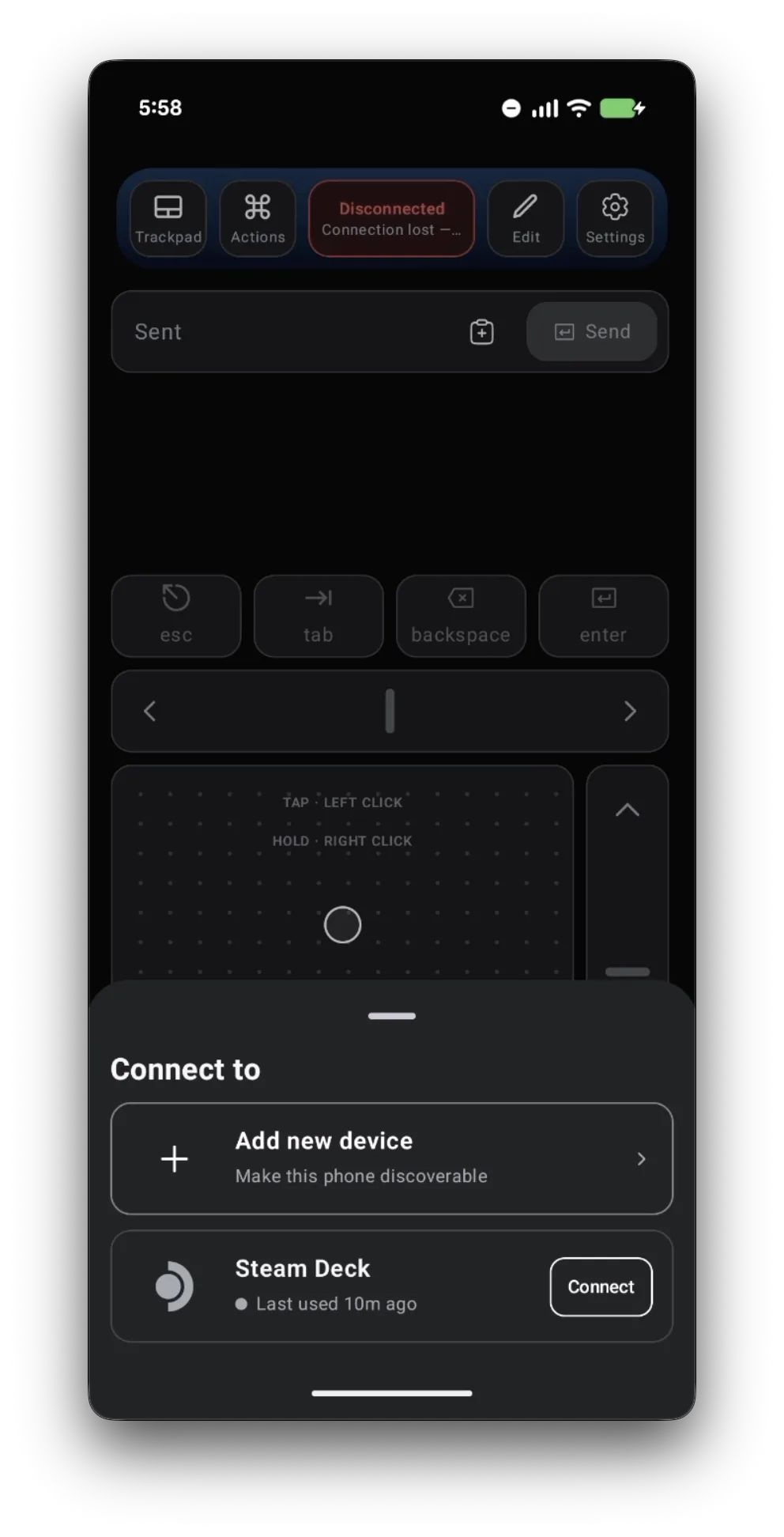
Connect Deck Pointer before you press Play
Open Deck Pointer on your phone, tap the connection chip at the top and tap Connect next to your Steam Deck. Haven't paired yet? Follow the pairing guide first — the first pairing happens once, in Desktop Mode, and takes about a minute. After that the phone is a plain Bluetooth mouse and keyboard, in Game Mode too.
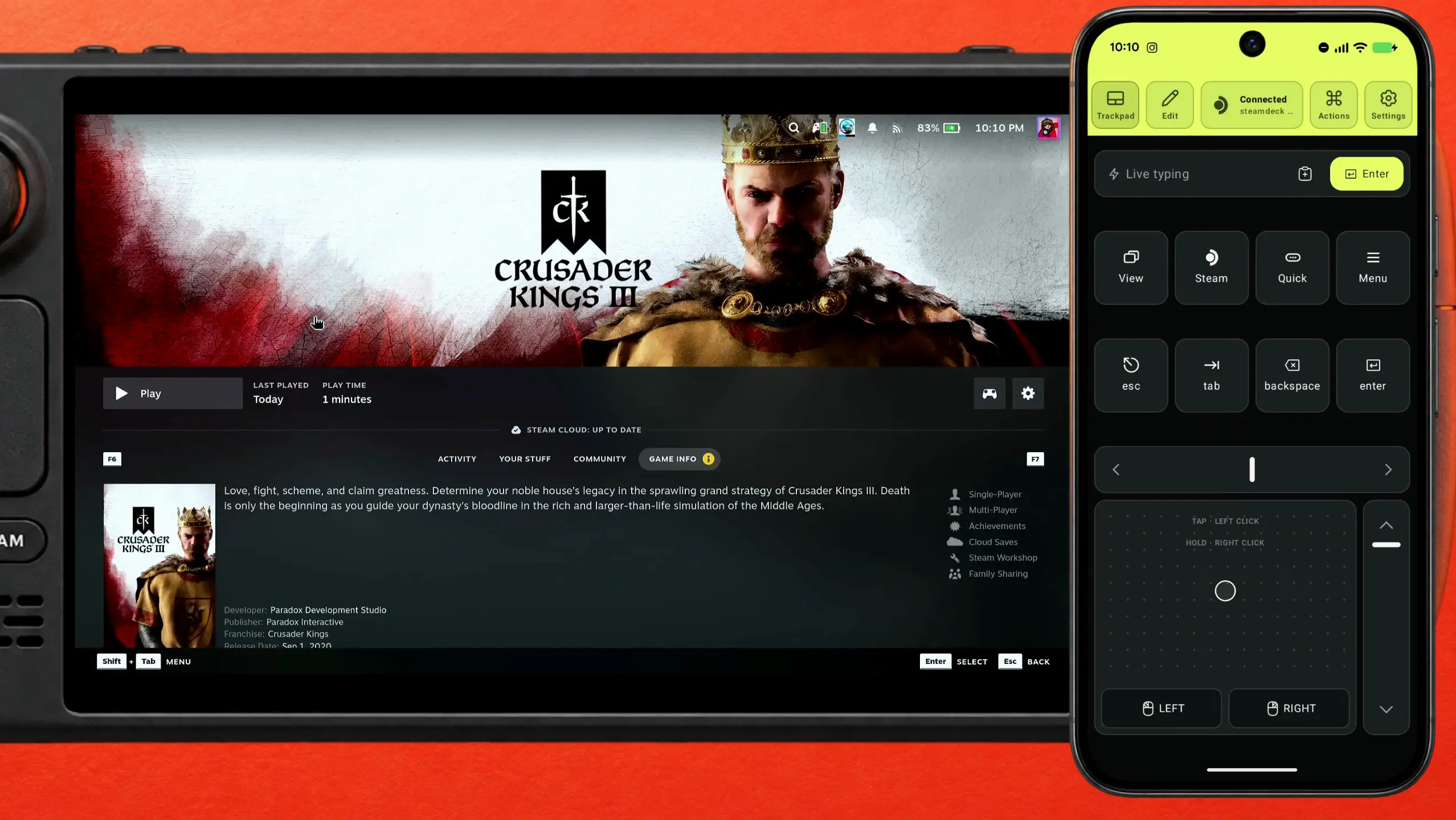
Start the game from Steam — the launcher opens first
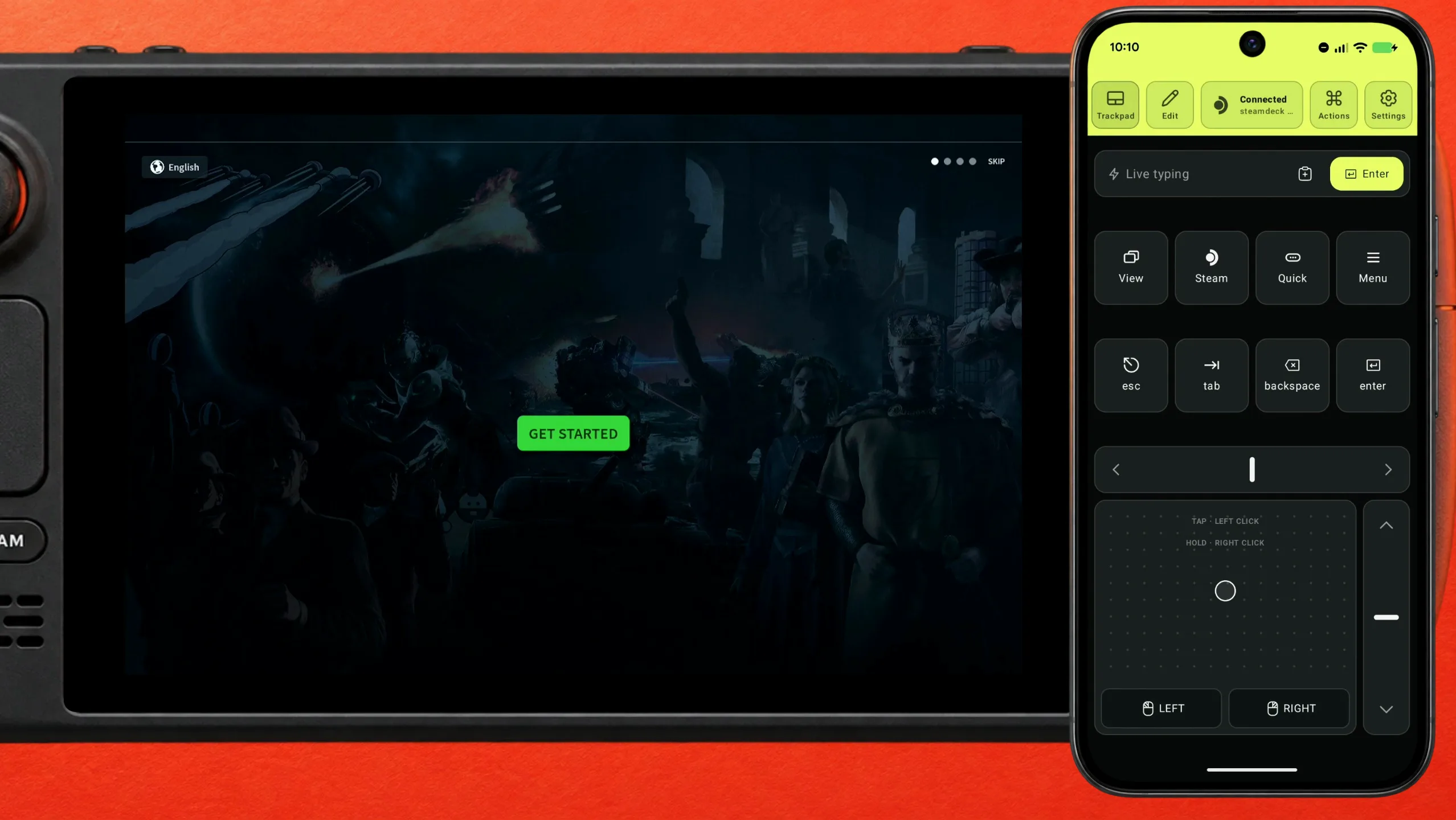
Press Play on Crusader Kings III in your Steam library. The game does not start: the Paradox launcher opens over it, with a Get Started button and a language picker.
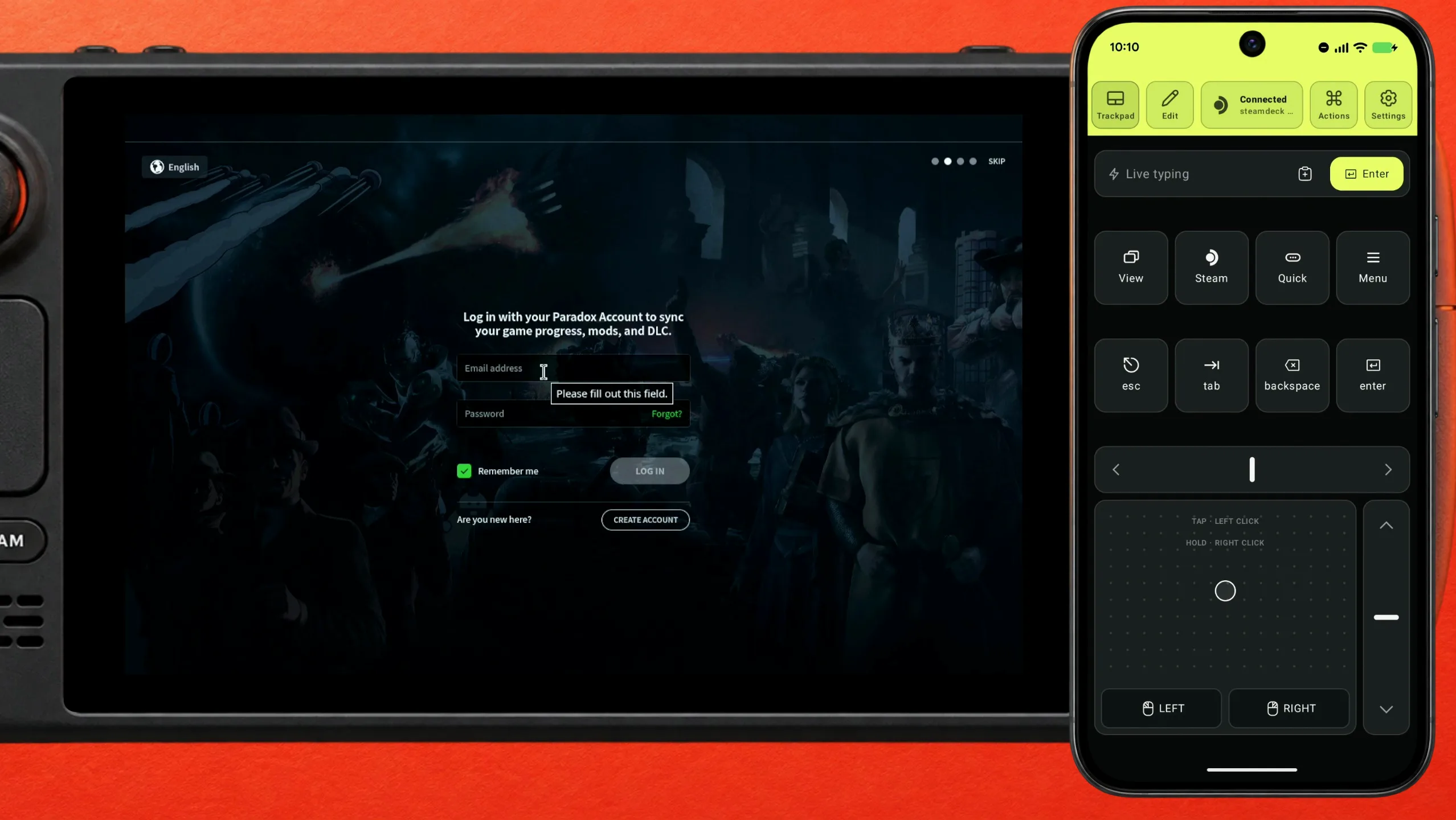
The launcher asks for a Paradox account
Get Started leads straight to a sign-in form: e-mail, password, Remember me, Log in, and a Create account link under it. The launcher explains why it wants one — to sync your game progress, mods and DLC.
Why this is the awkward part on a Deck
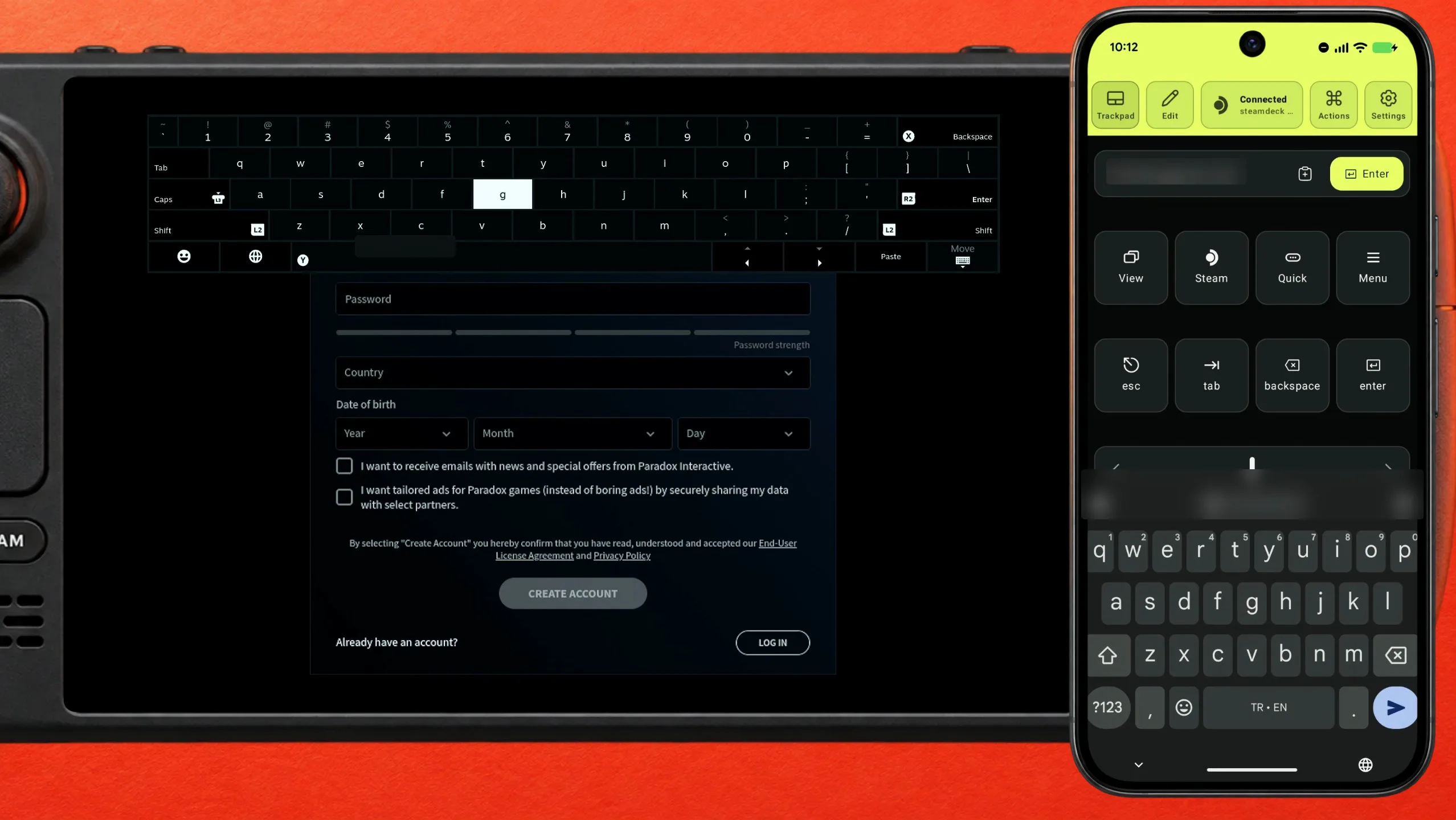
Click a field and the Deck's on-screen keyboard slides up over the lower half of the form. The fields you still have to fill are behind it, so you type, close the keyboard, scroll, open it again. With the phone connected you skip that entirely: type in Deck Pointer's text field and tap Send, and the keystrokes arrive like they came from a USB keyboard.
No account yet? Create it right here
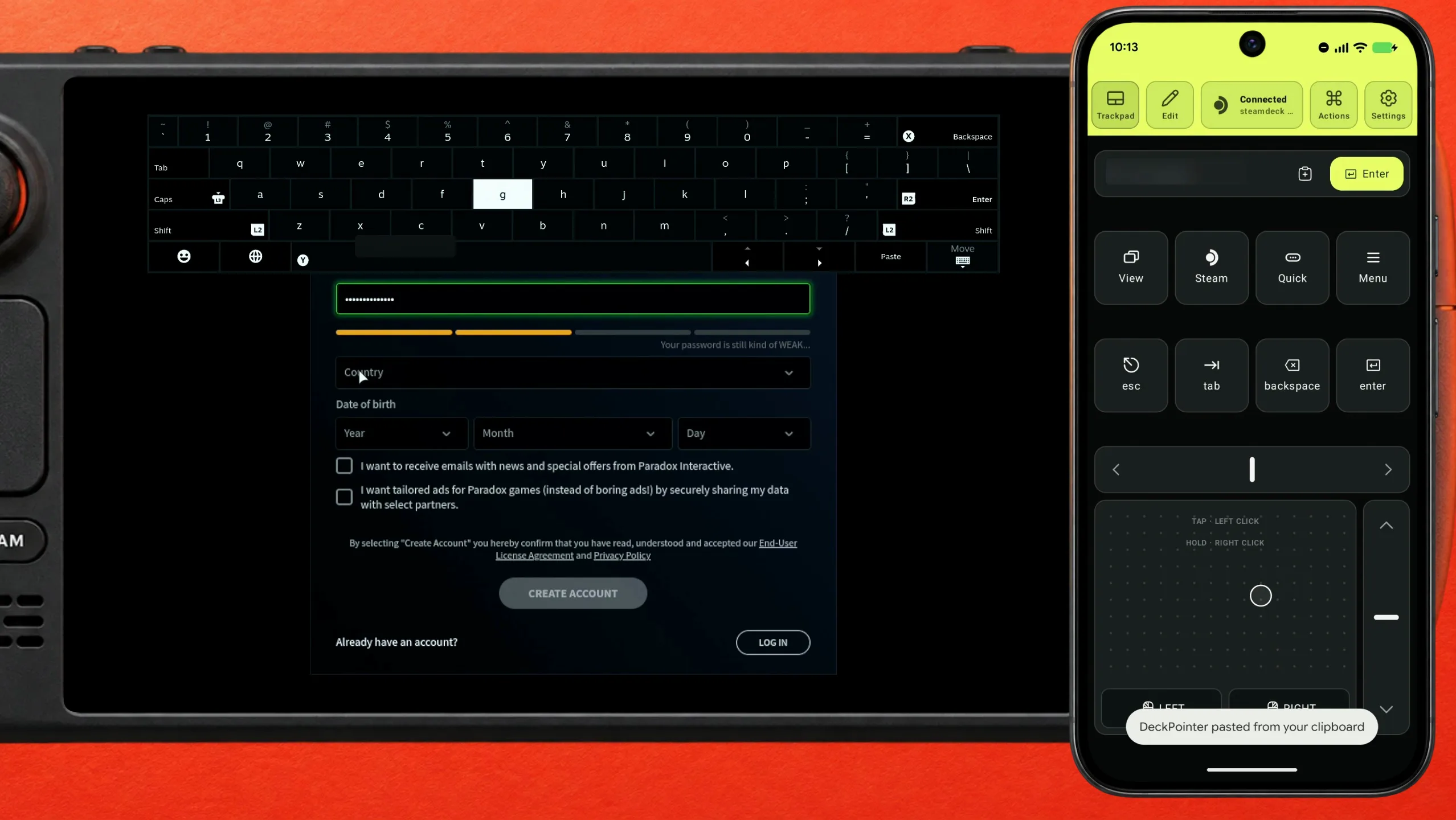
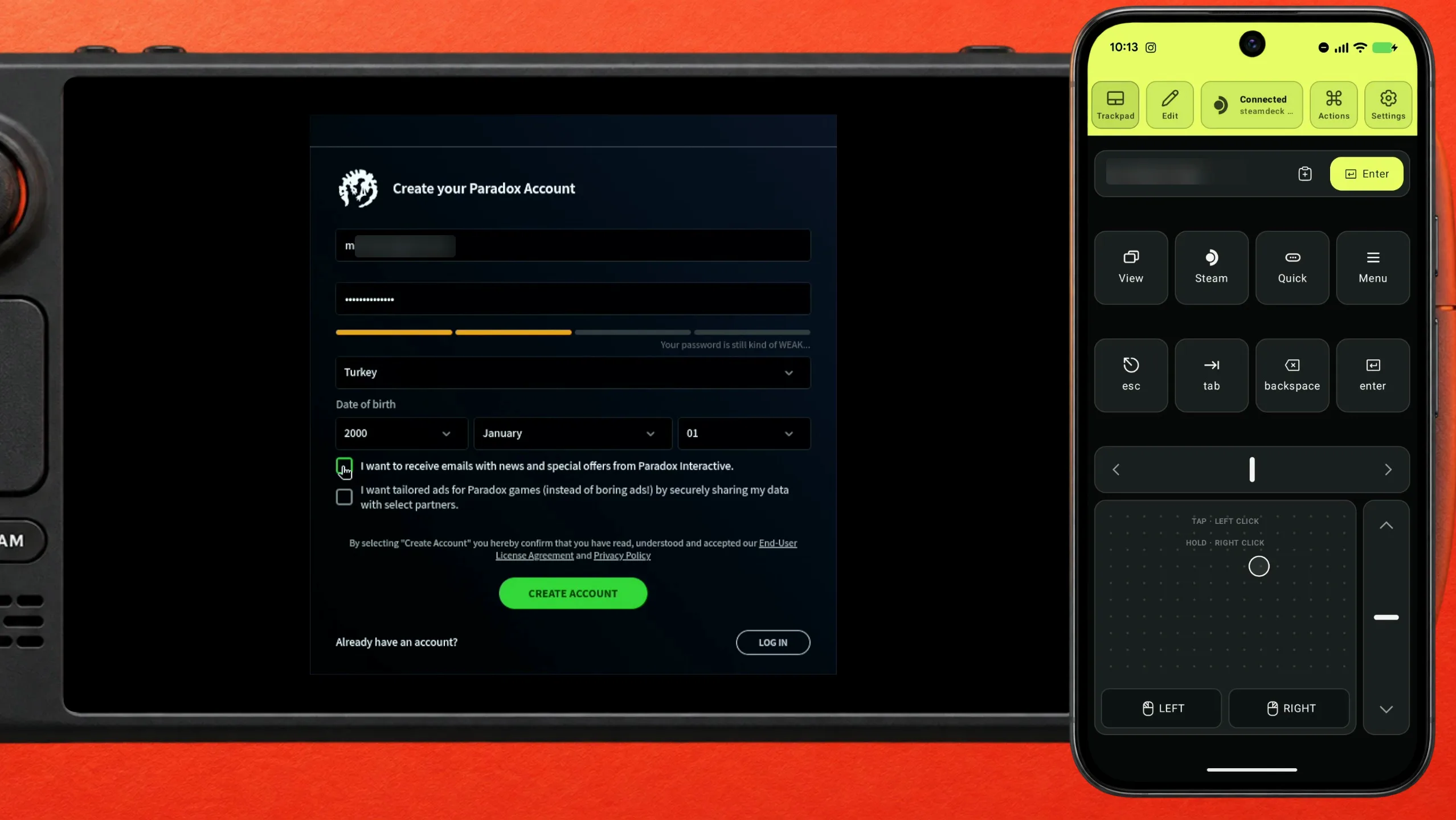
Use Create account, not Log in — a sign-in attempt with an address that has no Paradox account just fails. The form is the same shape: e-mail, password, country, date of birth. Type the address from your phone and tap Send. For the password, copy it out of your password manager, paste it into Deck Pointer's text field and tap Send; the app confirms it pasted from the clipboard. Paradox grades the password as you go and you need a strong one.
Pick the country from a very long list
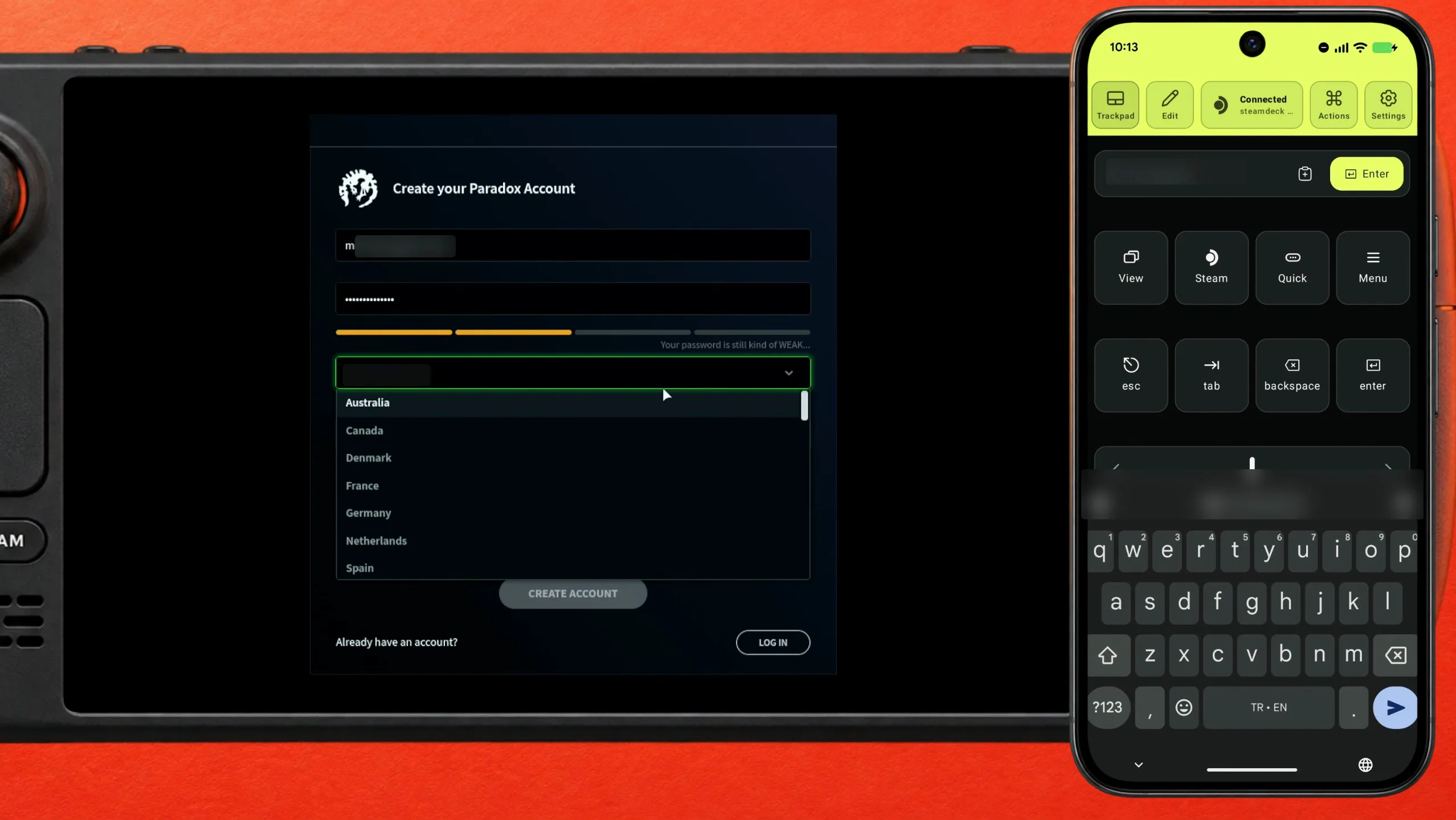
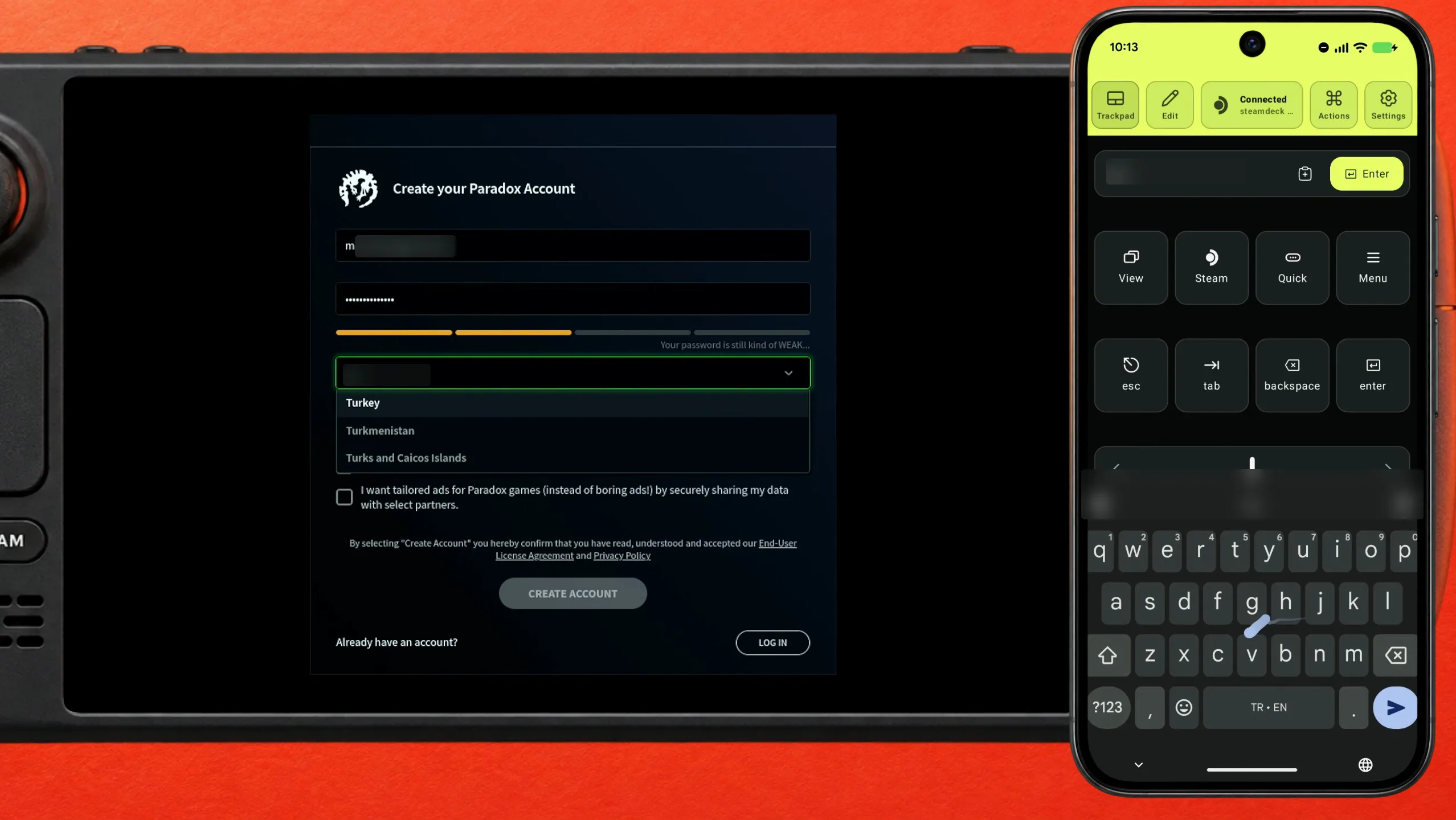
Country is a dropdown of every country there is. Open it and run it with the scroll rail down the right-hand side of the trackpad — one flick from the phone moves it far further than the Deck's stick. Faster still: with the list open, type the first letters of your country and it filters down to it.
Date of birth, the two boxes, then Create account
Date of birth is three more dropdowns — year, month, day — and the same trick works in each. The two checkboxes under them are the newsletter and the tailored-ads consent, both optional. Then press Create account.
Confirm the e-mail, then log in
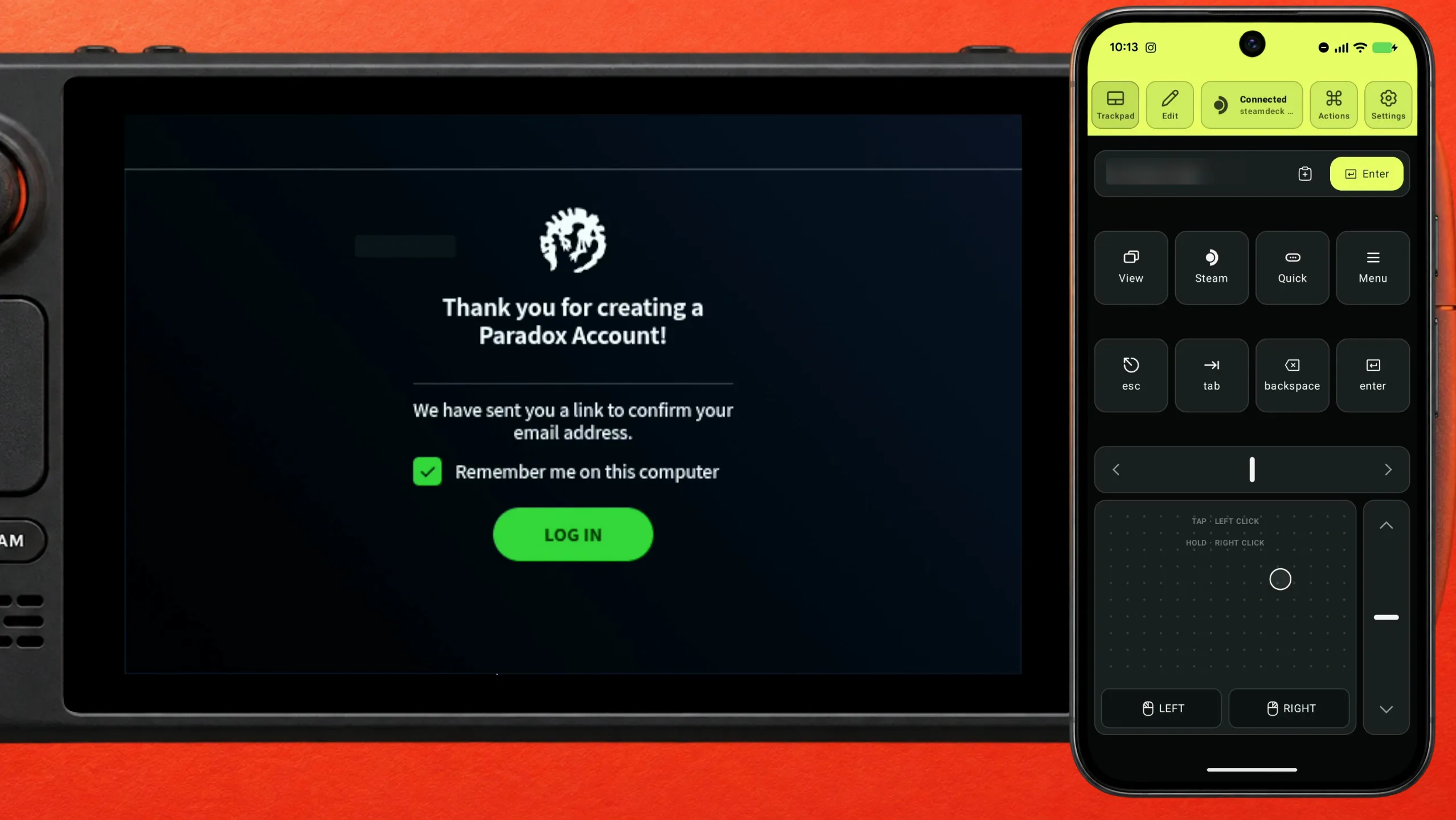
The launcher thanks you and says it sent a link to confirm the address. Open that mail on your phone and tap the link — this is the step the Deck cannot do for you anyway. Back on the Deck, press Log In.
The launcher knows you — press Play
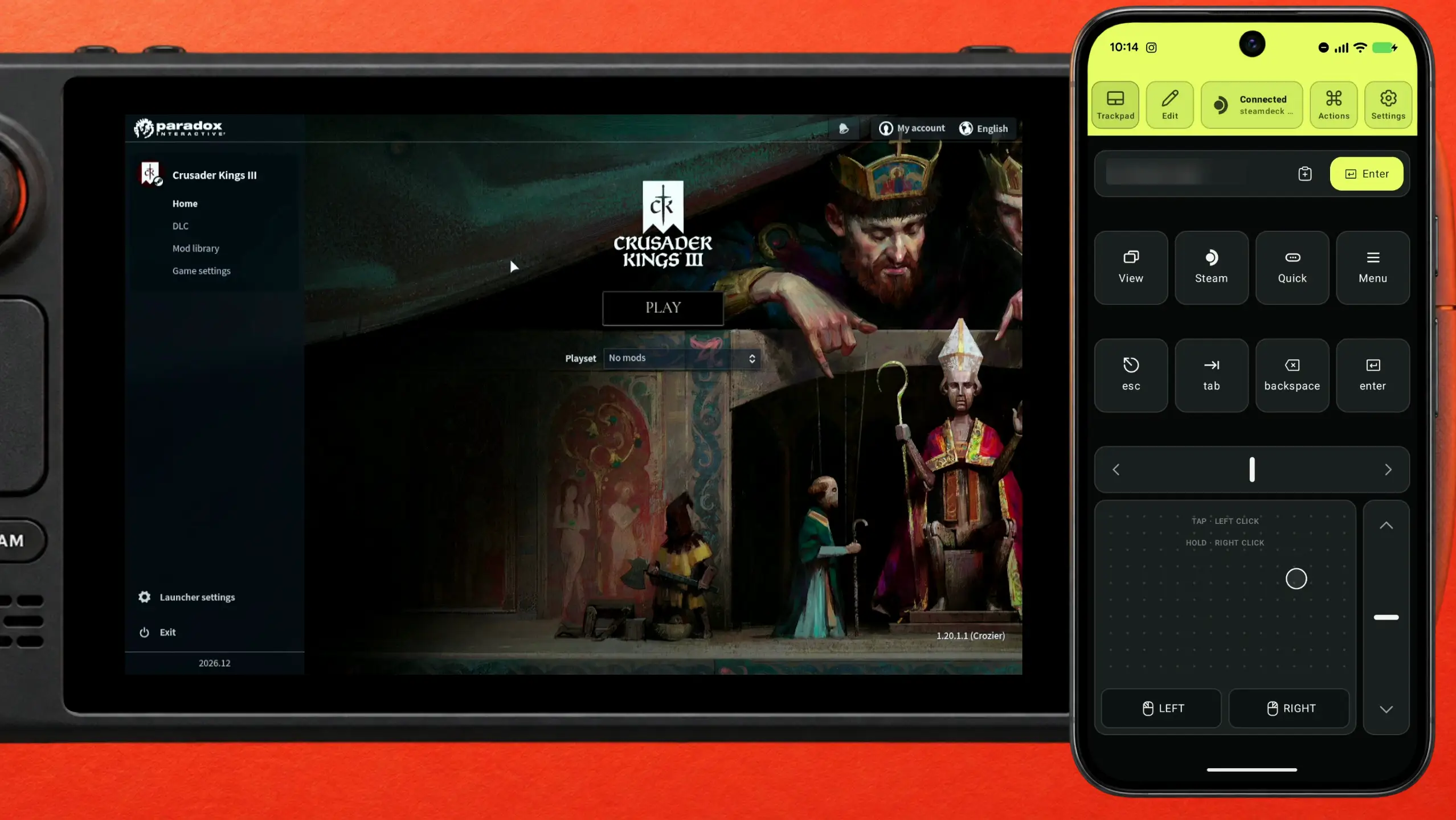
Signed in, the launcher shows your account in the top-right corner, the game's own page with Playset and mods, and a Play button. Press it and Crusader Kings III starts. The launcher is out of the way until the next time it updates.
What people are saying
“Log in with your Paradox Account to sync your game progress, mods, and DLC.”
The Paradox launcher's own sign-in screen, as shown on the Steam Deck · 2026-10
“Valve's testing indicates this title is Playable on Steam Deck. This game is functional on Steam Deck, but might require extra effort to interact with or configure.”
Steam Deck Compatibility panel on the Crusader Kings III store page · 2026-10-16
Other ways to try first
- The Steam Deck's own keyboard
- STEAM + X opens it anywhere, and it does work — it just covers the part of the form you are filling, so every field becomes type, close, scroll, open again.
- A Bluetooth keyboard
- Types just as well and does not hide anything. It is one more thing to carry, charge and pair; the phone is already in your pocket.
- Skipping the launcher
- Players often add a Steam launch option so the game starts without the launcher. The account still has to be created once, and the launcher is where playsets, mods and DLC are managed, so you come back to it.
Questions, answered
Do I really need a Paradox account to play?
The launcher asks for one before it lets the game start, and it says why: to sync your game progress, mods and DLC. Creating it takes a couple of minutes, and from the phone most of that is typing.
Does this work for the other Paradox games?
Yes. Stellaris, Hearts of Iron IV, Victoria 3 and Europa Universalis IV open the same launcher and ask for the same account, so the same steps apply.
Is it safe to paste a password from my phone?
Deck Pointer sends what you paste as keystrokes over Bluetooth, the way a USB keyboard would; nothing is stored on the Deck and nothing goes through our servers. Text goes as US-QWERTY ASCII, so characters outside that set are skipped.
Can I do this in Game Mode, or does it need Desktop Mode?
Game Mode. Only the very first Bluetooth pairing happens in Desktop Mode; after that the phone reconnects in Game Mode like any other Bluetooth keyboard.