Steam Deck fixes
Epic Games Store on Steam Deck: how to play your Epic games
Epic Games Store has no Linux client, so your Epic library — years of free weekly giveaways included — simply doesn't exist on the Deck, and the launcher that opens it up has to be installed and signed into in Desktop Mode, where a mouse and keyboard are assumed.
Epic Games Store gives away a game every week, and after a few years that adds up to a library worth playing. On a Steam Deck none of it shows up: Epic has no Linux client, and Valve’s store only knows about games sold on Steam.
The fix is one free launcher. Heroic Games Launcher signs in to your Epic account, downloads what you own, and runs it through Proton — the same translation layer Steam uses for Windows games. The setup happens in Desktop Mode, where the Deck expects a mouse and a keyboard, so this guide uses your phone as both: the Epic password and the two-factor code get sent from the phone instead of tapped out on the on-screen keyboard.
Video tutorial
Step by step
Connect Deck Pointer in Desktop Mode
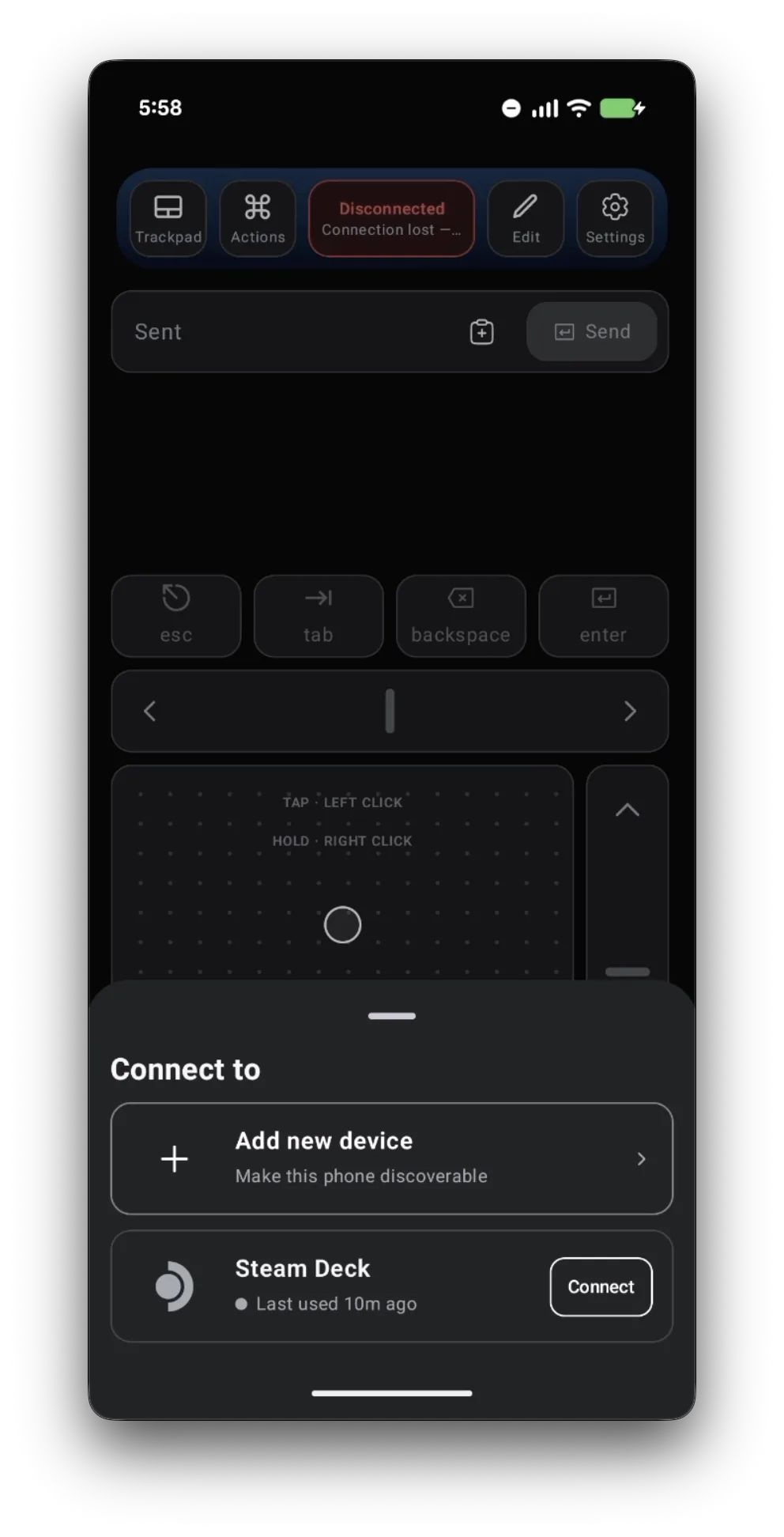
Switch the Deck to Desktop Mode, open Deck Pointer on your phone, tap the connection chip at the top, and tap Connect next to your Steam Deck. Haven't paired yet? Follow the pairing guide first — it takes about a minute.
Install Heroic, the launcher that opens Epic on the Deck
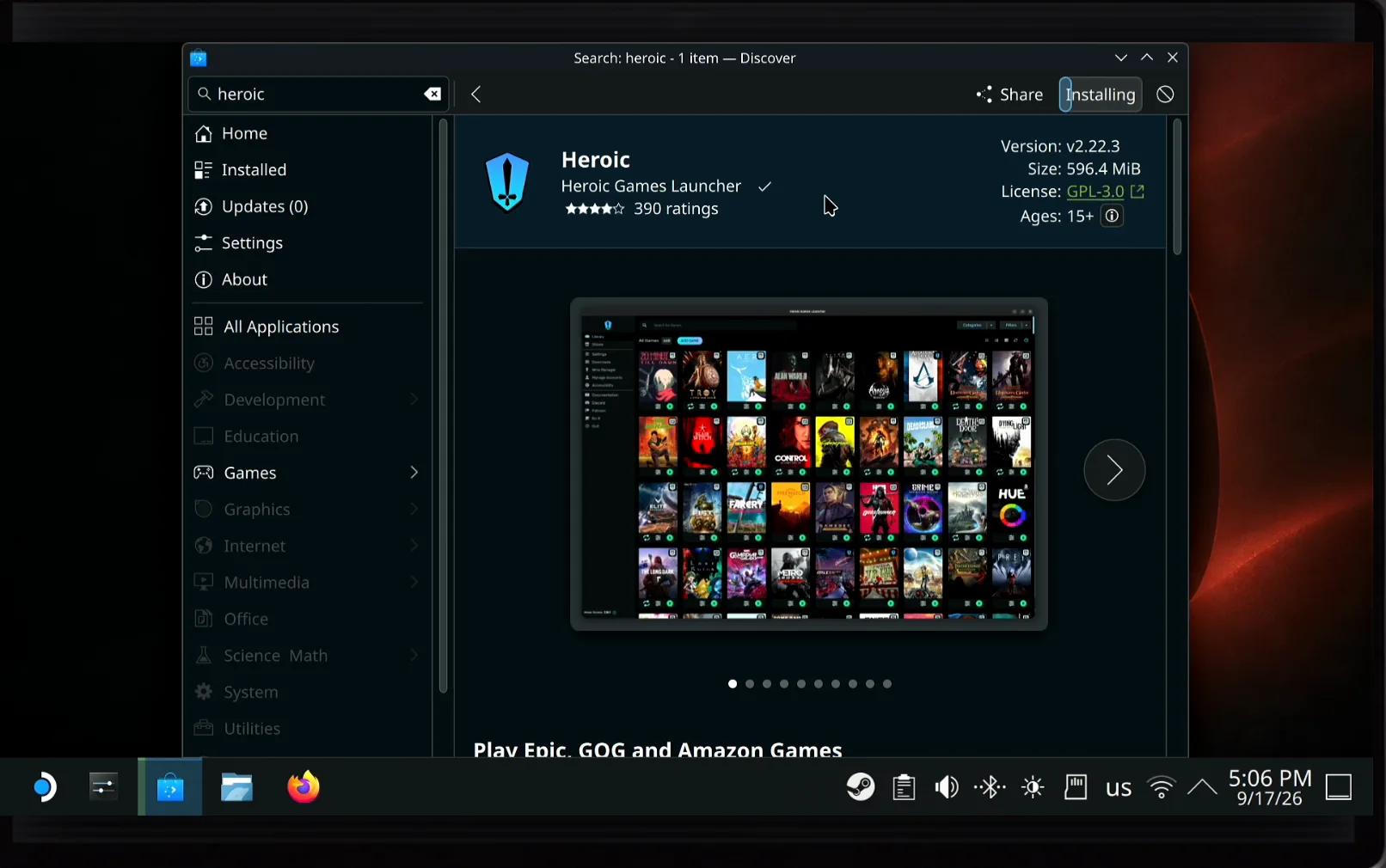
Epic has no app for the Deck, so you need a launcher that talks to your Epic account for it. Heroic Games Launcher is free and sits right in Discover, the Deck's app store: click the search field with the trackpad, type "heroic" in Deck Pointer's text field, and tap Send — it arrives as ordinary keystrokes, so Enter runs the search. Open Heroic Games Launcher and click Install.
Drag Heroic onto the desktop
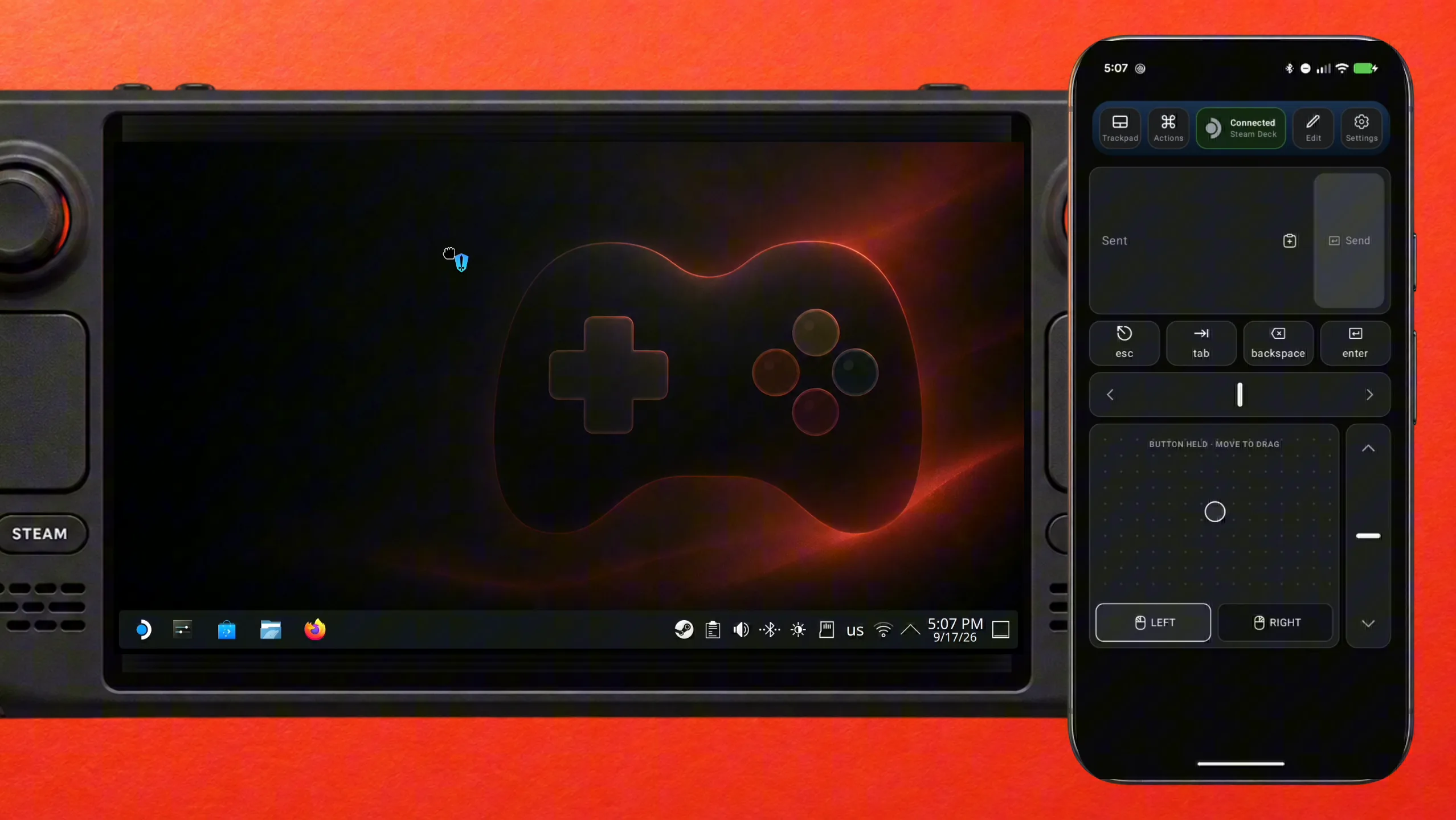
Once it's installed, open the KDE application launcher, find Heroic, then hold LEFT on Deck Pointer and move your finger on the trackpad to drag the icon onto the desktop. Now it's one double-click away, without digging through menus.
Open the Epic login page
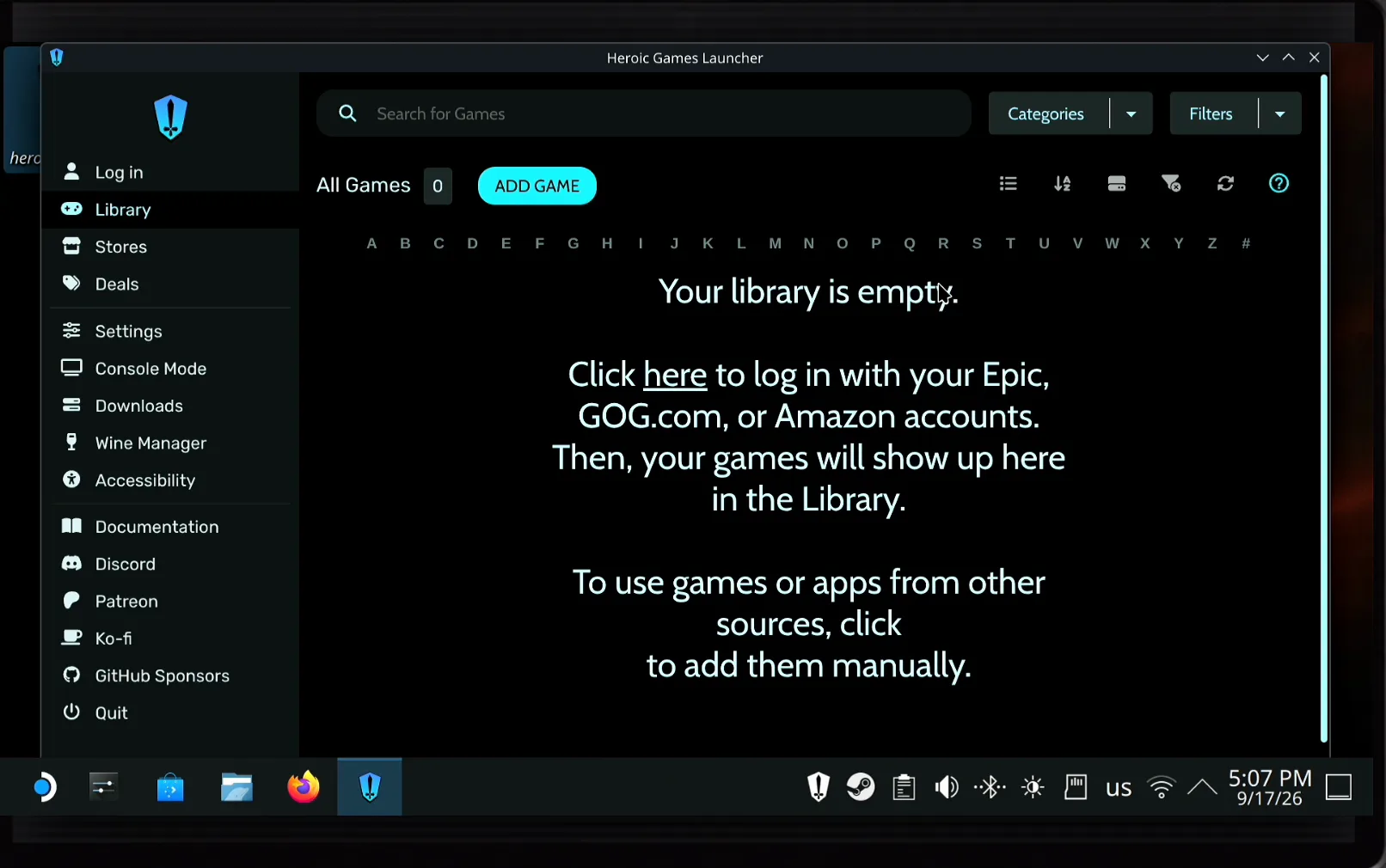
Start Heroic. It shows what's new in the current version, asks whether it may send anonymous usage data to its developers, and then says the library is empty. Click the here link to log in with an Epic, GOG.com, or Amazon account.
Type your Epic e-mail, then paste the password
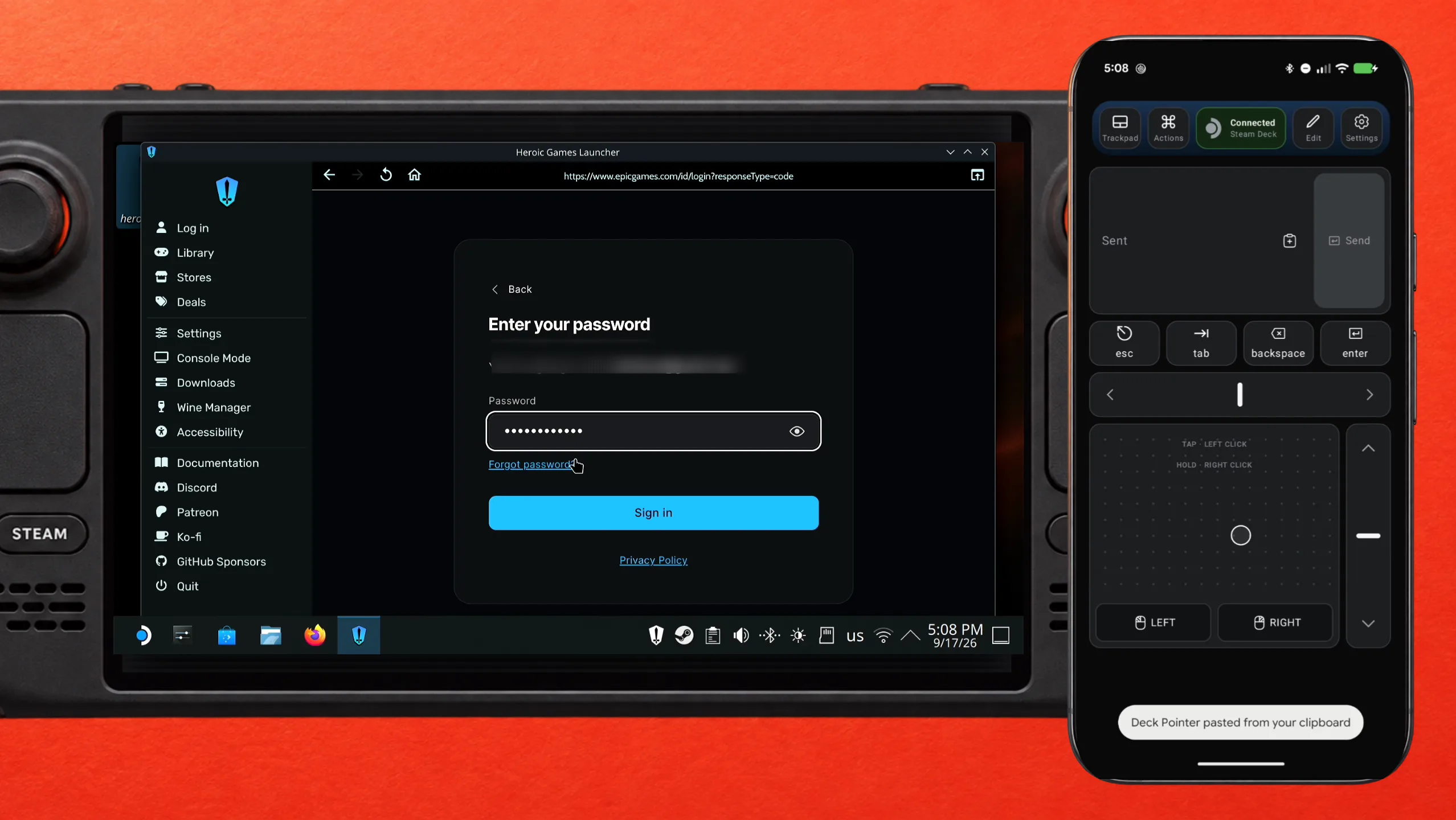
Pick Epic Games. Heroic opens Epic's own sign-in page inside its window. Click the e-mail field and send your address from Deck Pointer's text field, then click the Password field and paste the password there instead of typing it — copy it from your password manager on the phone, paste it into the text field, and tap Send.
Send the two-factor code the same way
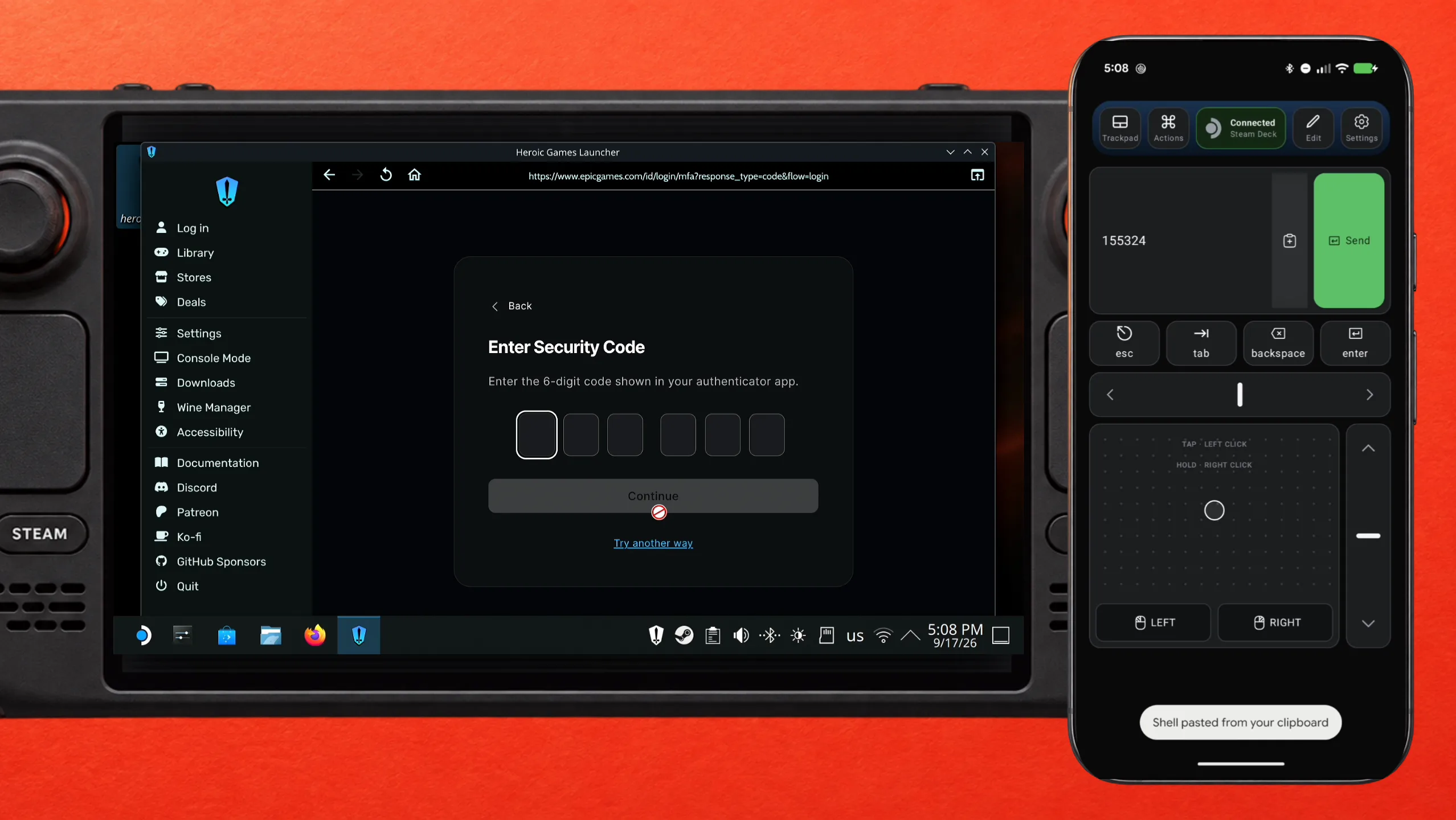
If your Epic account has two-factor authentication, Epic asks for the six-digit code. Read it in your authenticator app on the same phone, type it into Deck Pointer, and tap Send — no juggling the Deck's on-screen keyboard with a code that expires in seconds.
Install an Epic game and play it
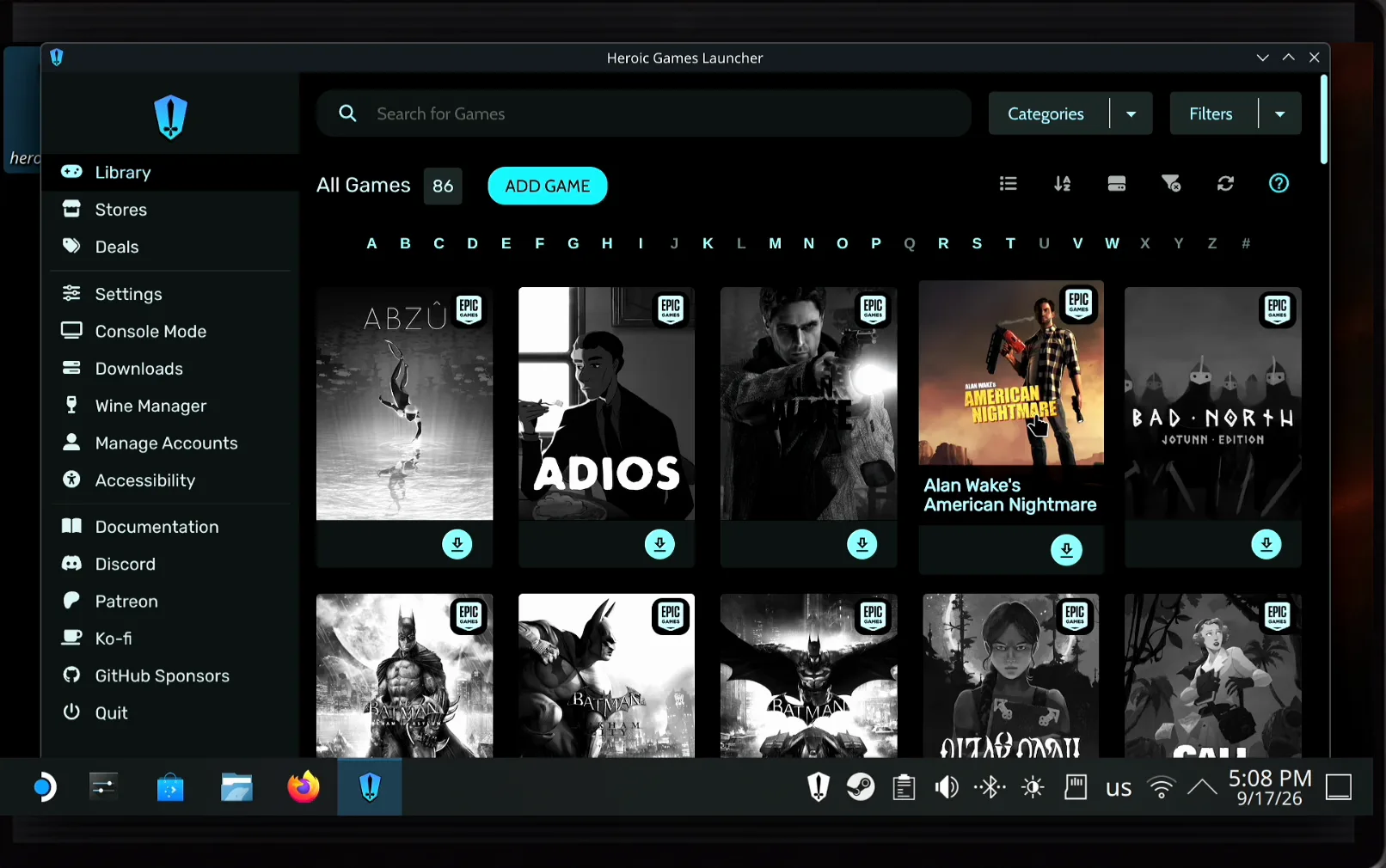
Your whole Epic Games Store library appears under Library — all those free weekly giveaways included. Pick a game and click the download button: Heroic installs it and runs it through Proton, the same translation layer Steam uses for Windows games. To play from Game Mode instead of the desktop, use Heroic's Add to Steam so the game gets its own entry in your Steam library.
What people are saying
“everytime i start the game it askes me to sign in again , its bloody annoying”
Ranch Simulator discussion: sign in to epic games . Constantly aaarrrggghhh · 2023-11
“unfortunately, because of the way the popups work, we can't bring up the virtual keyboard automatically, but all you need to do is press and hold the STEAM button, then press X and the virtual keyboard will appear.”
Dead Island 2's publisher, in the pinned Steam Deck FAQ thread · 2024-04
Questions, answered
Can I install the Epic Games Launcher itself on the Steam Deck?
Not as a normal app — Epic ships no Linux version, and there's nothing for the Deck in Discover or the Steam store. A launcher like Heroic signs in to the same Epic account and runs your games through Proton instead.
Is Heroic Games Launcher part of Deck Pointer?
No. Heroic is a separate free, open-source launcher for Epic Games Store, GOG, and Amazon Games. Deck Pointer is just the mouse and keyboard you use to install it and to sign in.
Do I need to install anything on the Steam Deck for Deck Pointer?
No. The Deck sees your phone as an ordinary Bluetooth mouse and keyboard, so nothing gets installed on the Deck — not in Desktop Mode, not in Game Mode. Only the optional Wi-Fi connection (Android) uses a small app on the Deck, from deckpointer.com/deck.
Does the password I paste go anywhere?
No. It goes from your phone to the Deck over Bluetooth as ordinary keystrokes. It doesn't pass through any server of ours, and we don't log it.
Can I play Epic games in Game Mode after this?
Yes. Install the game in Heroic, then use its Add to Steam option — the game appears in your Steam library and launches from Game Mode like any other title.
Does Heroic keep me logged in to Epic?
It stores the session, so you normally sign in once. If a game's own Epic Online Services popup asks for the password again, you can record that login as an Action in Deck Pointer and replay it with a tap.
What about GOG and Amazon Games?
The same login page lists them. Sign in to each one you use, and all three libraries sit side by side in Heroic.