Steam Deck fixes
GOG on Steam Deck: how to install the launcher and play your GOG games from Steam
There is no GOG app for the Steam Deck: the games you own on GOG don't show up in Steam or Discover, and the launcher that opens them has to be installed and signed into in Desktop Mode, where a mouse and keyboard are assumed.
GOG doesn’t ship an app for the Steam Deck, so you use Heroic Games Launcher: it signs in to your GOG account, installs what you own and runs it through Proton. This guide installs it, signs in, and adds a game to Steam, with your phone as the mouse and keyboard.
Video tutorial
Step by step
Connect Deck Pointer in Desktop Mode
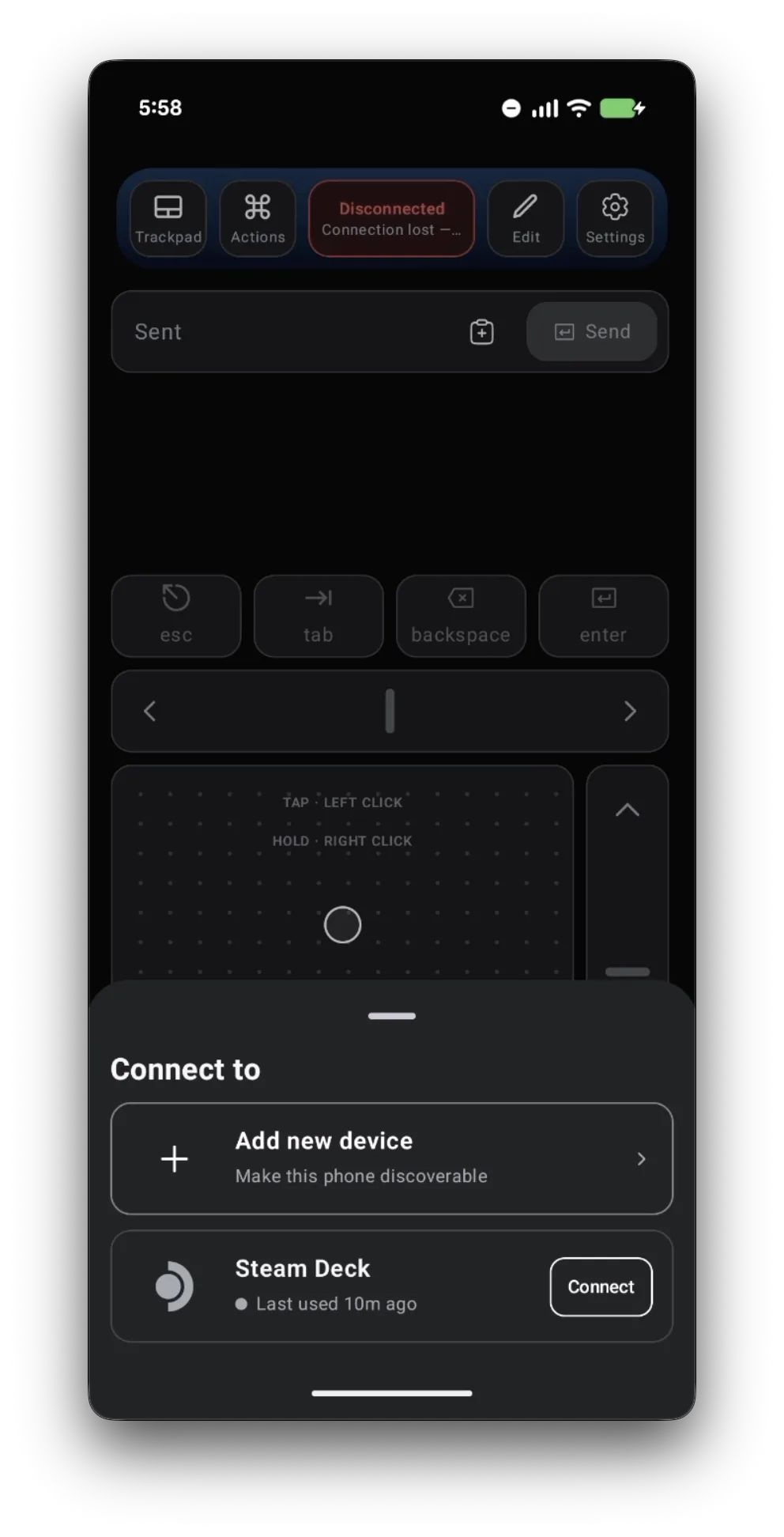
Switch the Deck to Desktop Mode, open Deck Pointer on your phone, tap the connection chip at the top, and tap Connect next to your Steam Deck. Haven't paired yet? Follow the pairing guide first — it takes about a minute.
Install Heroic, the launcher that opens GOG on the Deck
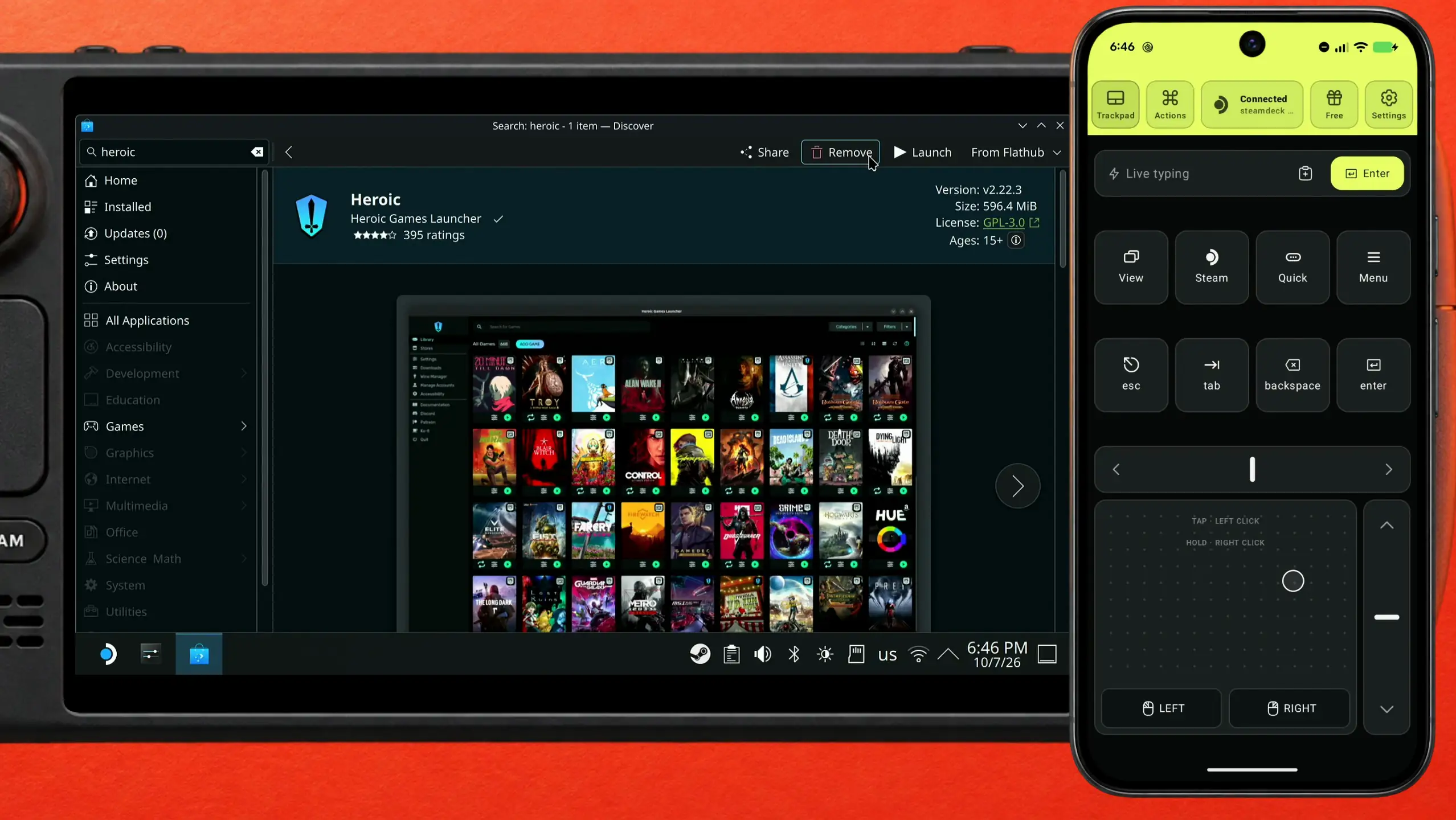
GOG has no app for the Deck, so you need a launcher that talks to your GOG account for it. Heroic Games Launcher is free and sits right in Discover, the Deck's app store: click the search field with the trackpad, type "heroic" in Deck Pointer's text field, and tap Send. Open Heroic Games Launcher and click Install — once it is installed the button reads Launch. Then start it.
Open GOG's login from Heroic's Stores menu
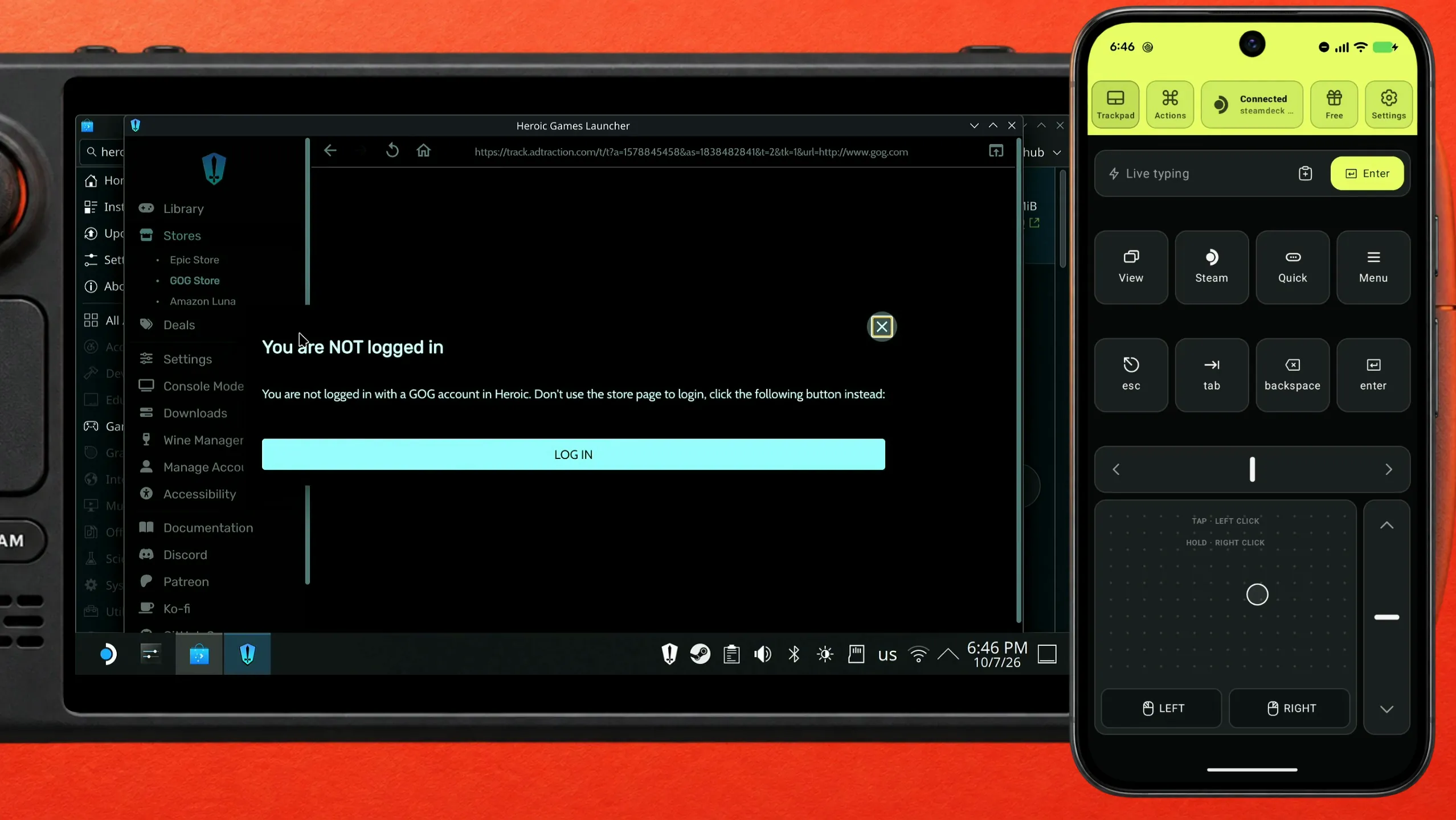
In Heroic's side menu open Stores and pick GOG Store. Heroic says You are NOT logged in and shows a LOG IN button. Use that button, not the login on GOG's store page: Heroic asks for it on purpose.
Check the address bar before you type anything
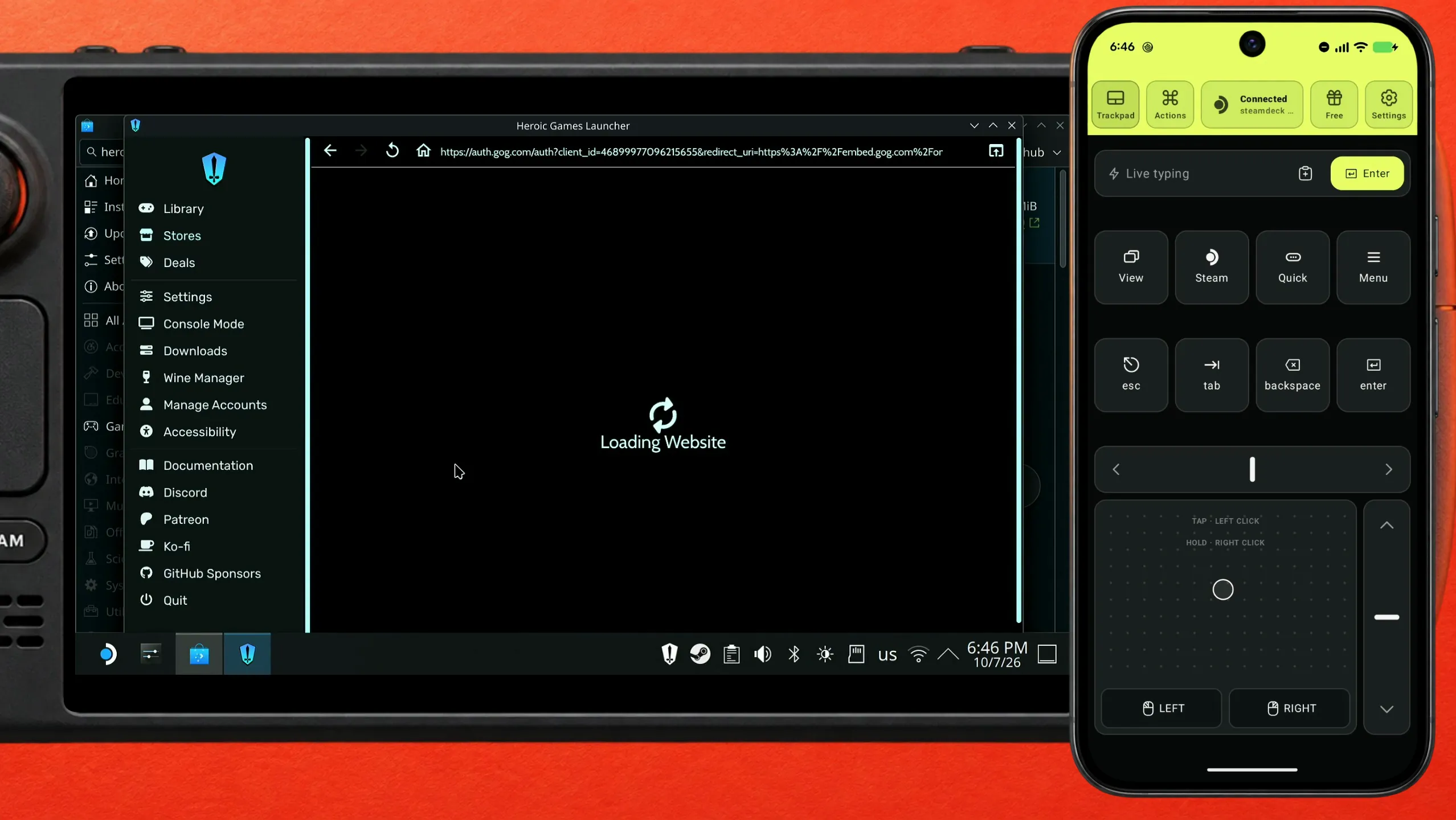
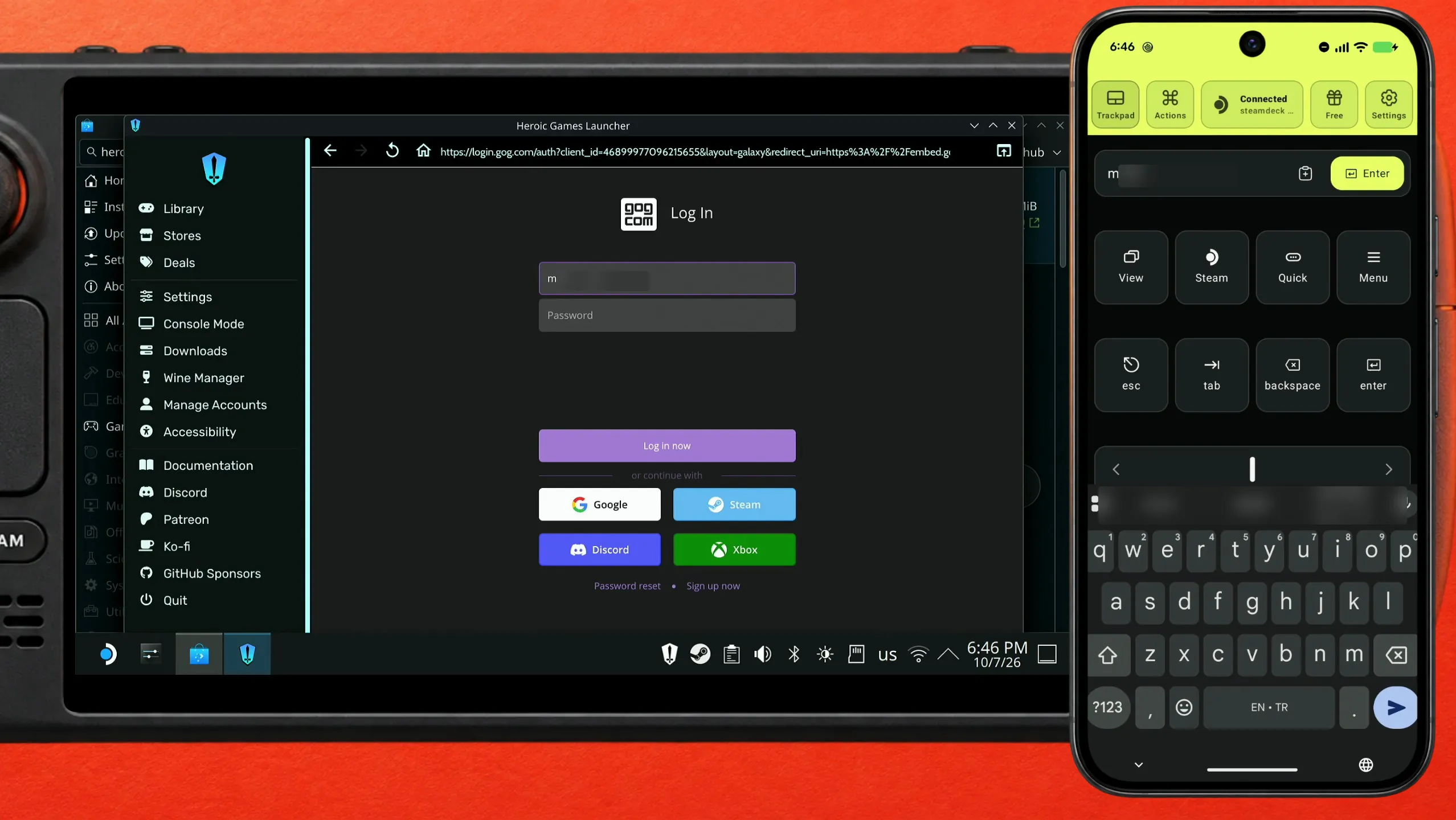
GOG's sign-in opens inside Heroic's window. Look at the address bar: it should be GOG's own site, auth.gog.com and then login.gog.com, and nothing else should open. If it is, carry on.
Send the e-mail from your phone, then paste the password
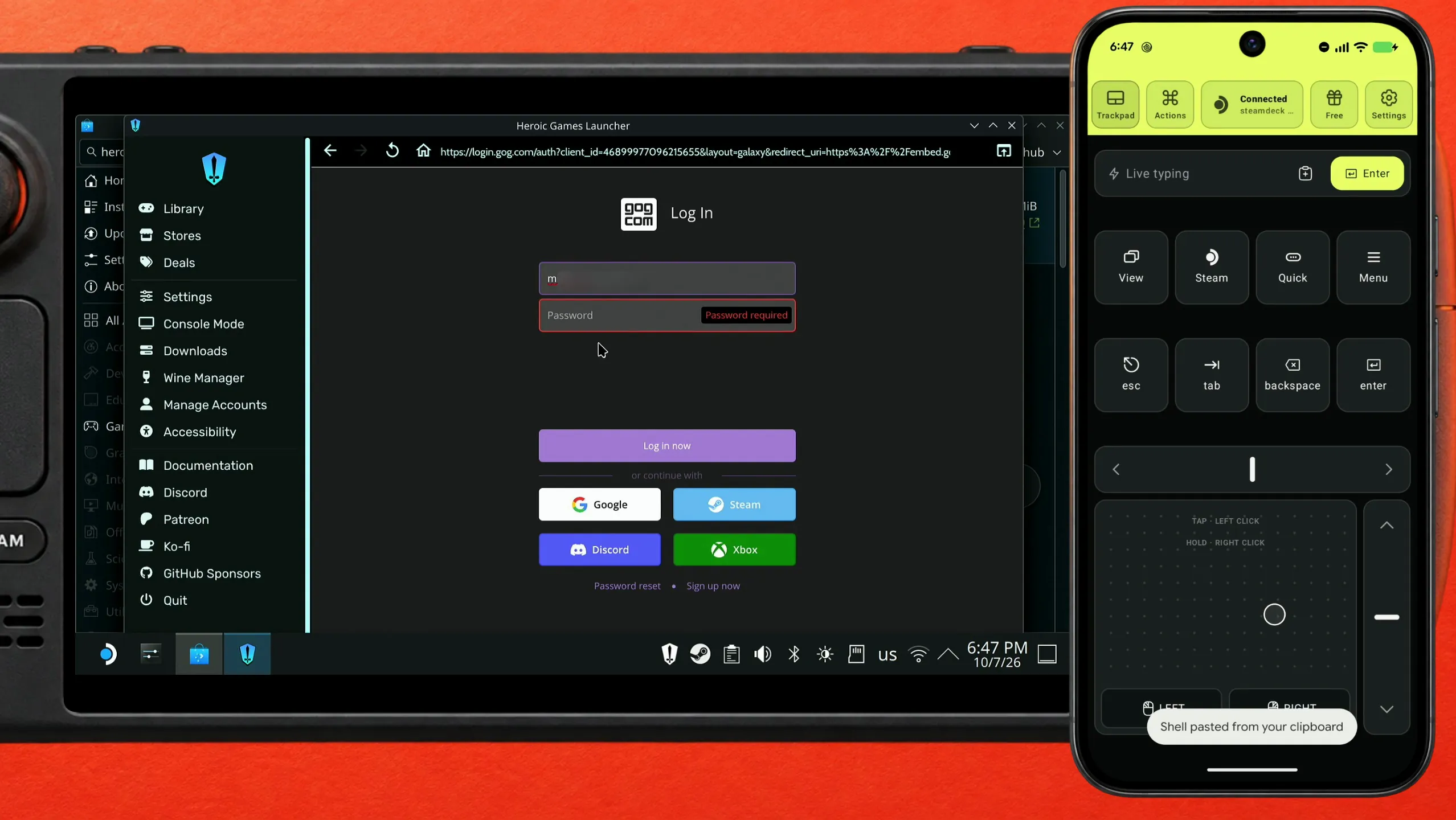
Click the e-mail field and send your address from Deck Pointer's text field. Then click the Password field and paste the password there instead of typing it: copy it from your password manager on the phone, paste it into Deck Pointer's text field, and tap Send. Deck Pointer shows the toast that it pasted from your clipboard.
Open your library and show only GOG
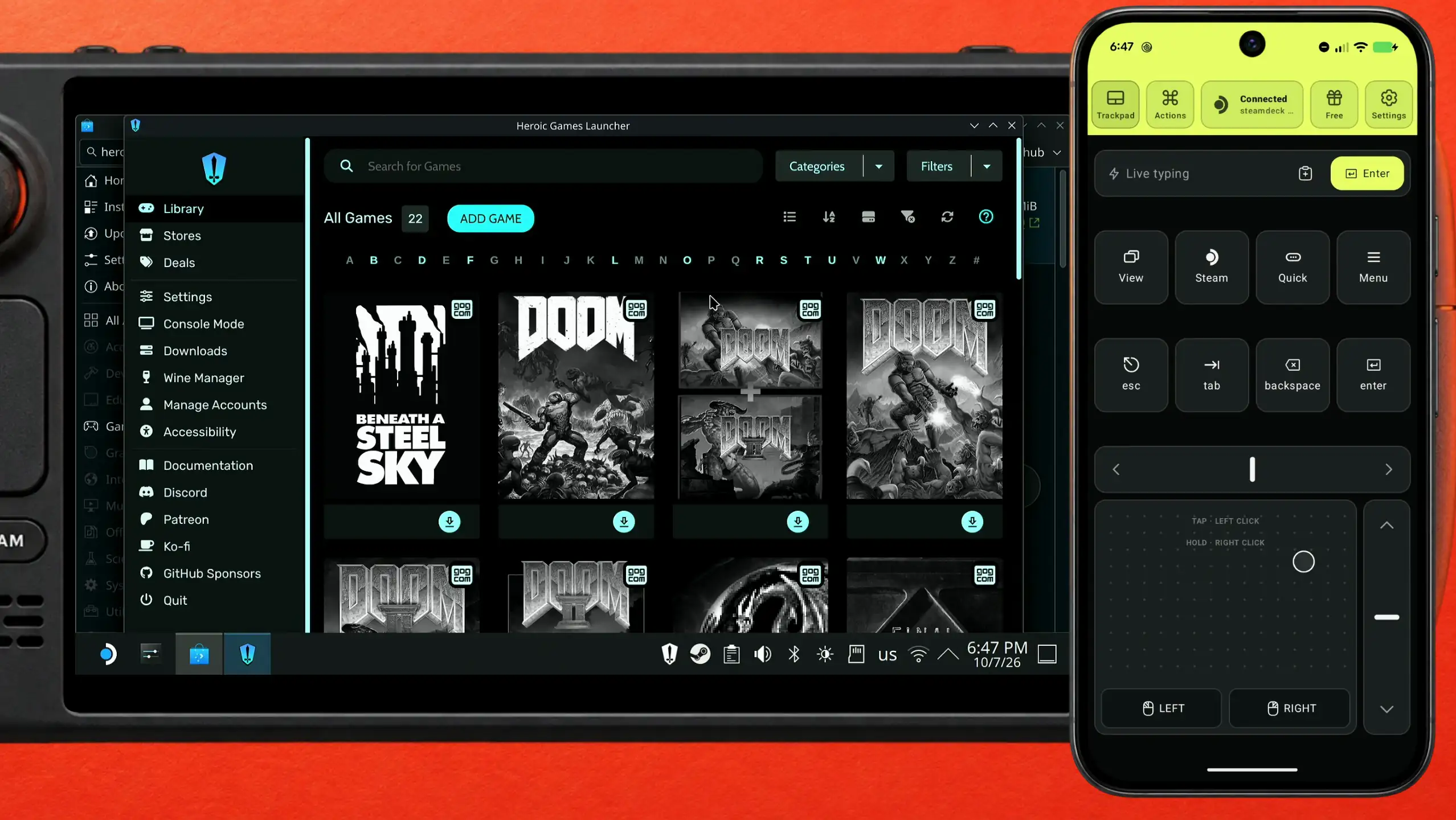
Once you are in, Heroic lists the accounts you signed in to. Go to the Library, open Categories and choose GOG to see only the games you own there.
Install the game
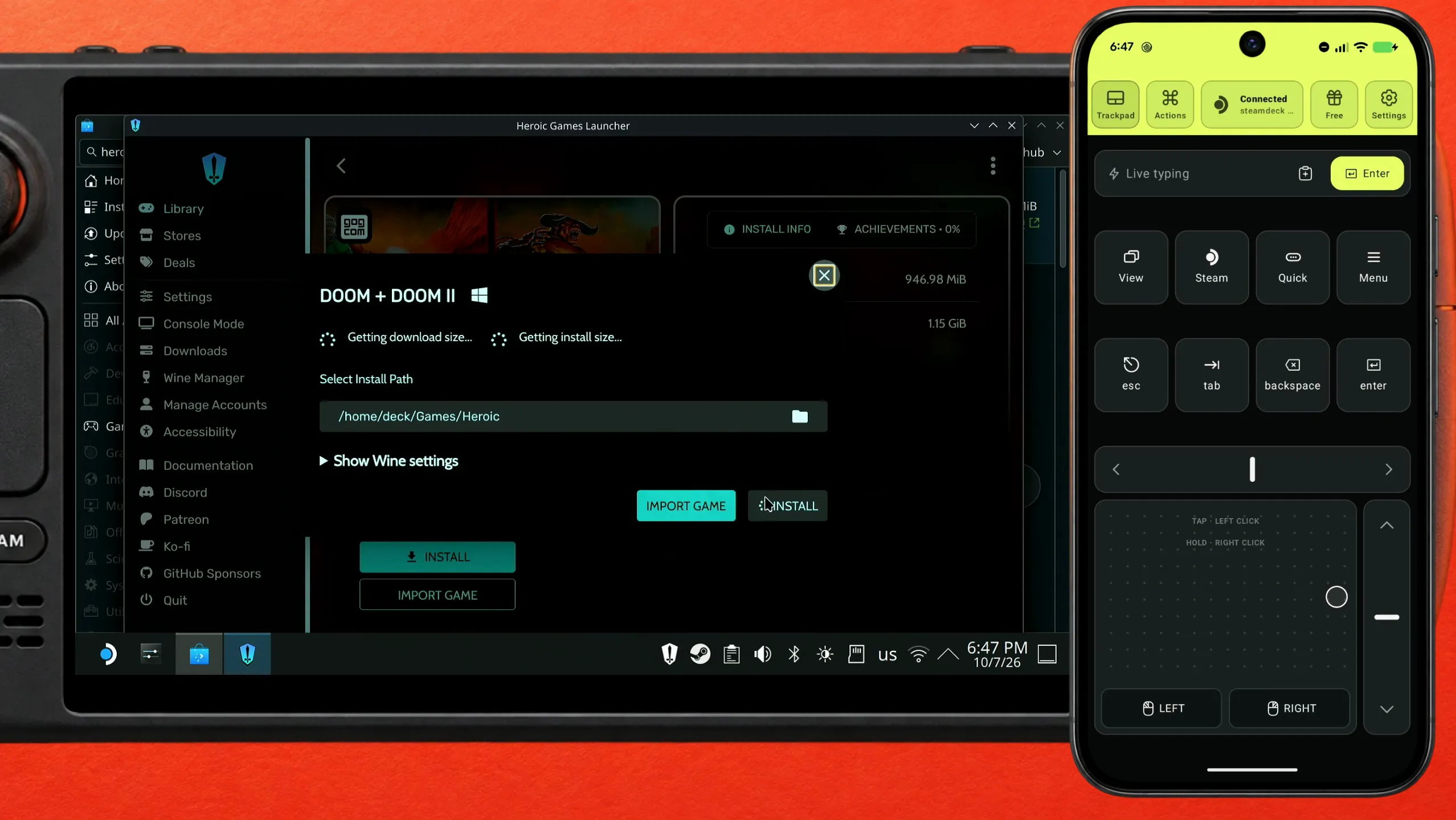
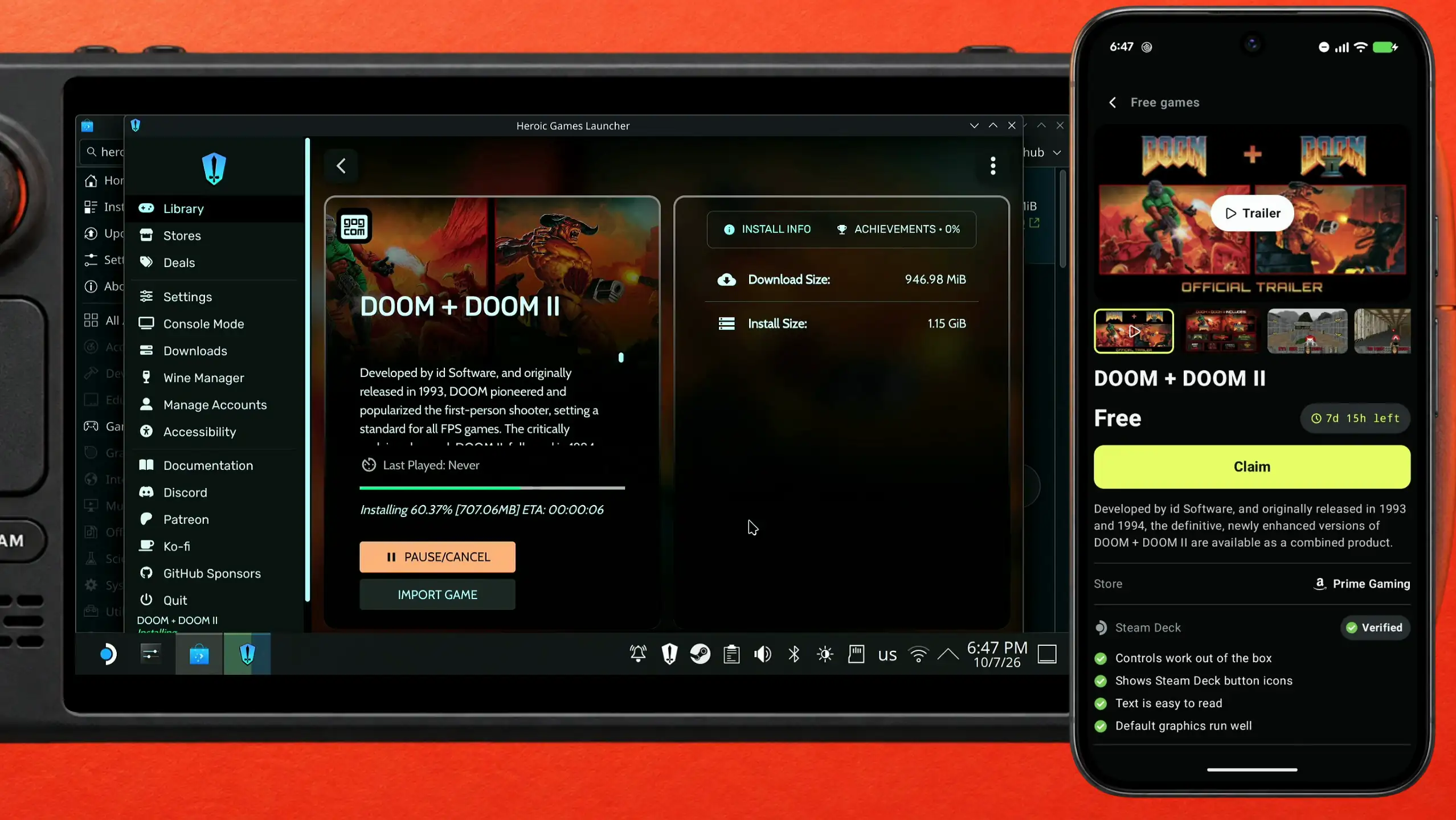
Click a game and then Install. Heroic asks where to put it (the default is the Heroic folder in your home directory), so click INSTALL again. The download starts and shows its progress. Not sure what to play? Deck Pointer's Free games section lists the current giveaways with their Steam Deck verdict and ProtonDB rating; that is how this DOOM + DOOM II was found, rated Verified for Steam Deck and Platinum on ProtonDB.
Add the game to Steam
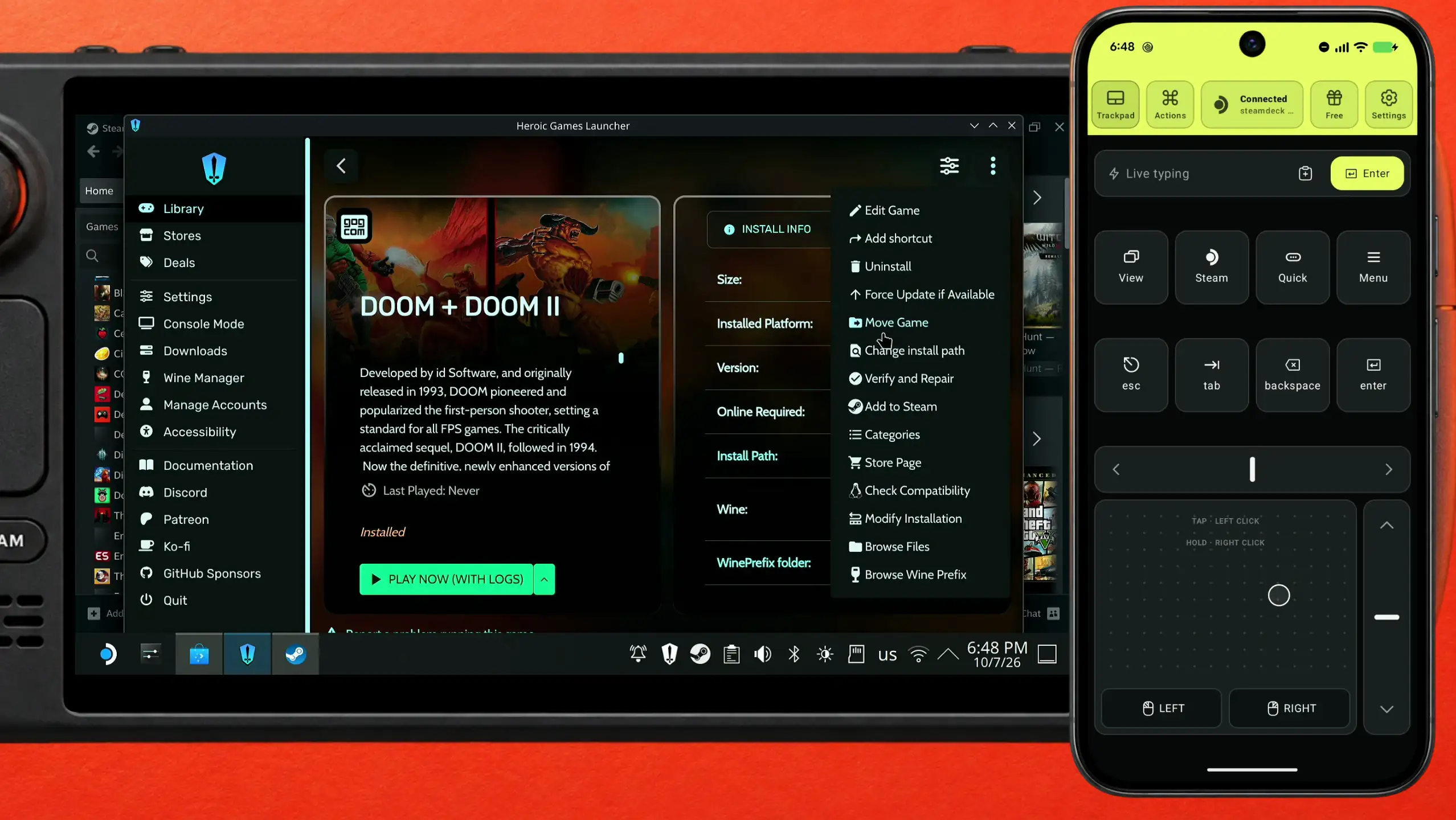
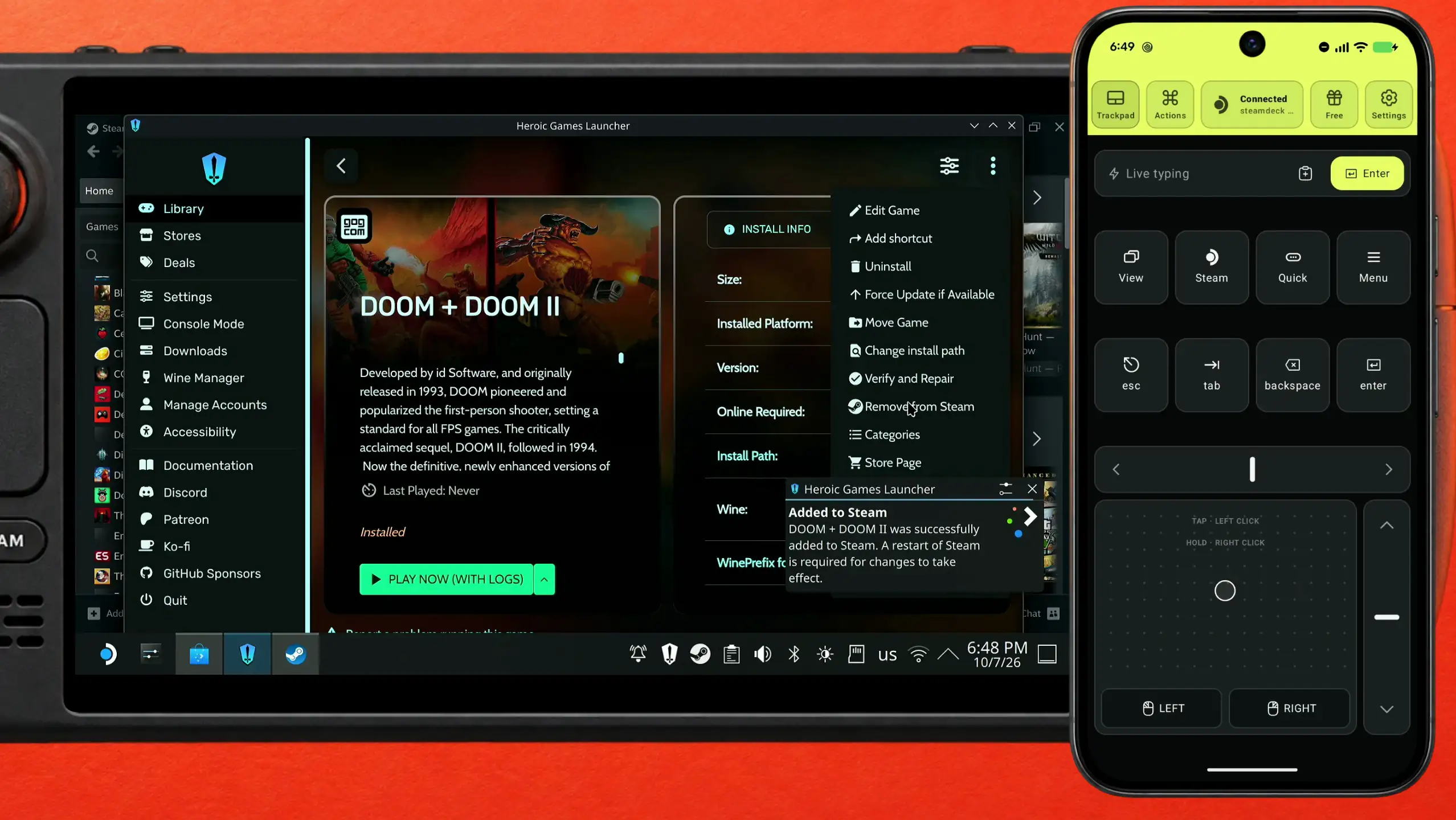
When the install finishes, open the menu at the top right of the game's page in Heroic and choose Add to Steam. Heroic confirms that the game was added and warns that Steam must be restarted for the change to show.
Restart Steam
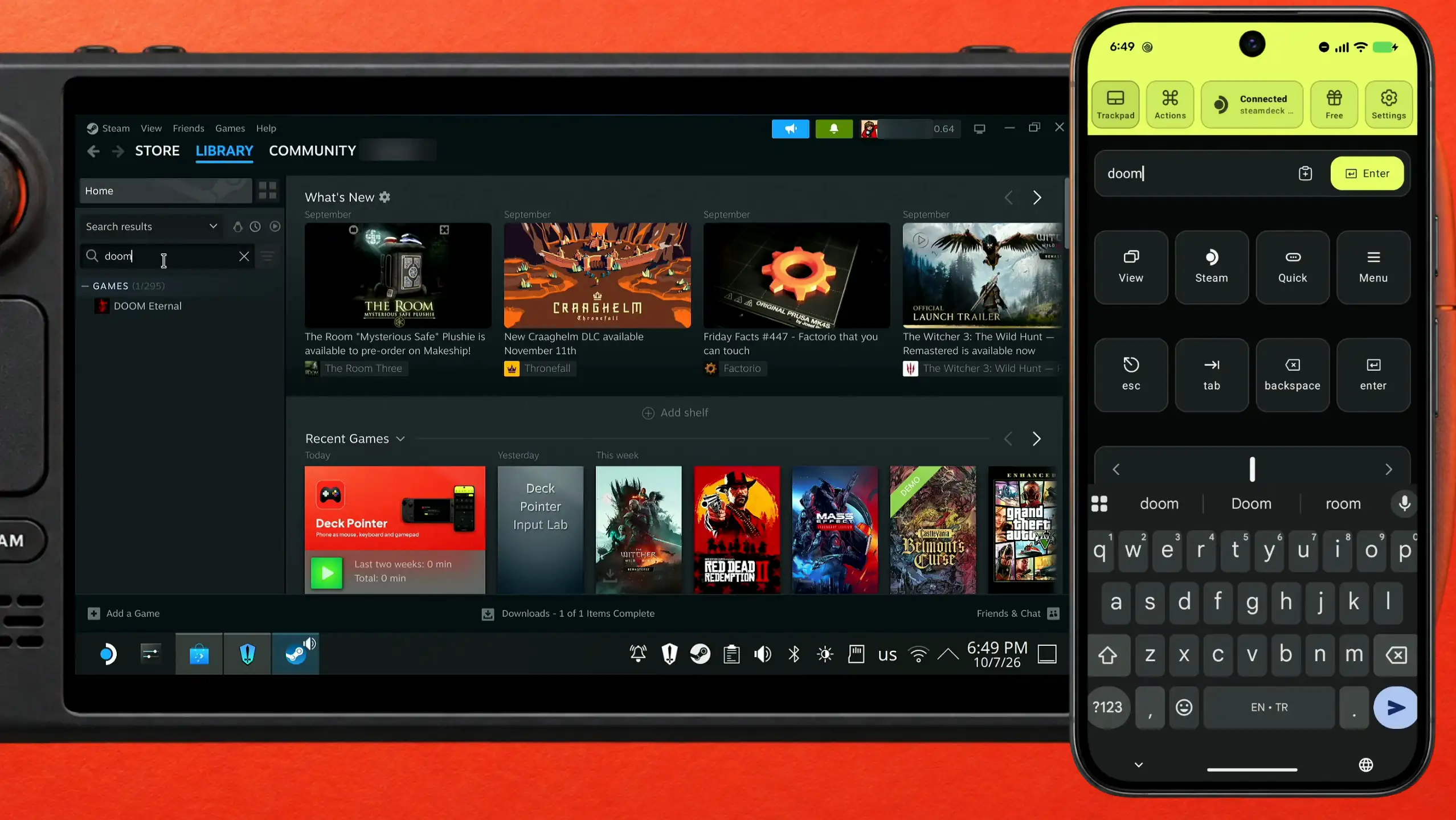
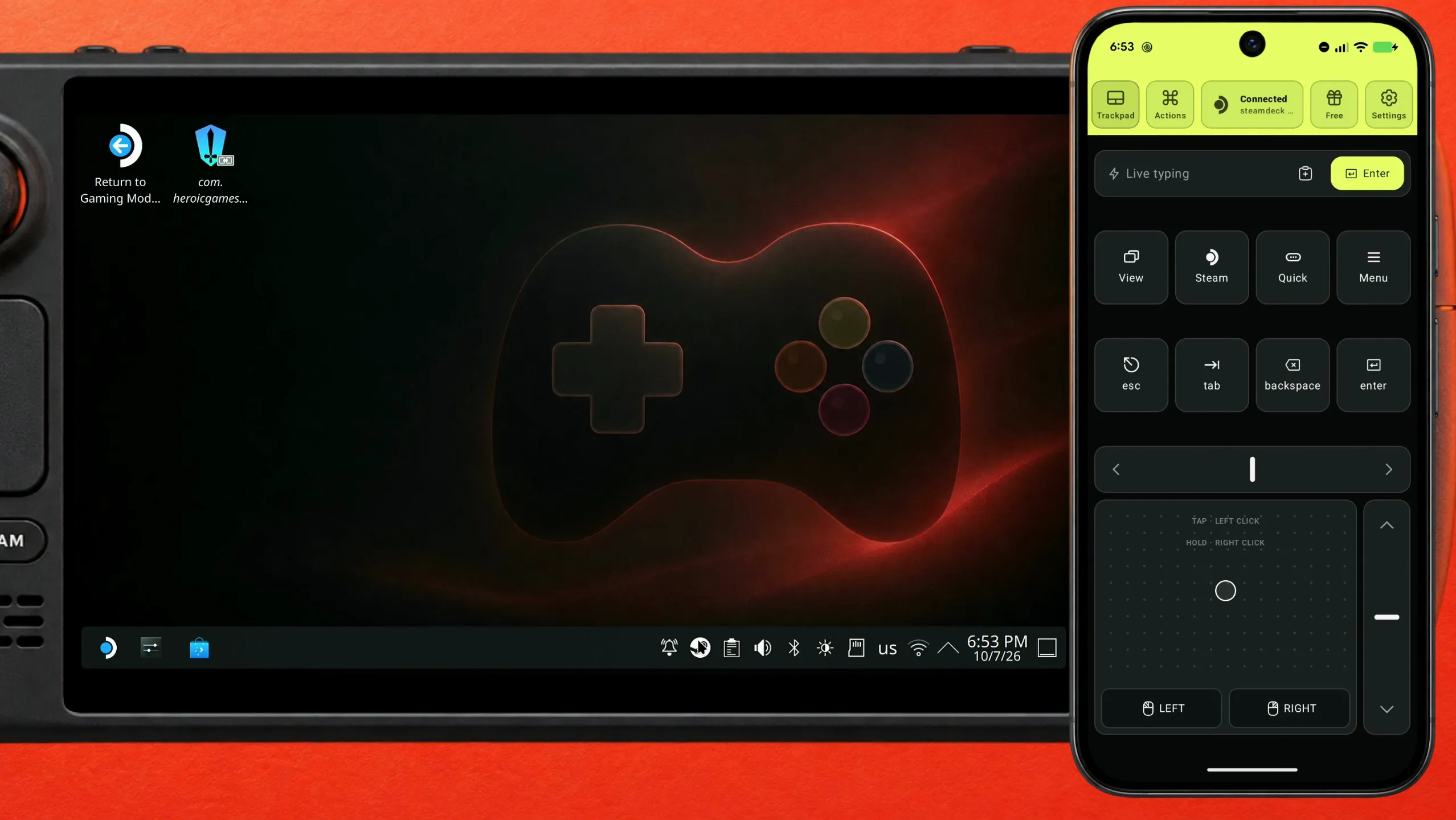
Steam only reads the new entry when it starts. Searching for "doom" in the library right away finds only DOOM Eternal, another game in this library. Exit Steam completely from its Steam menu, then start Steam again from the application menu.
Play it from your Steam library
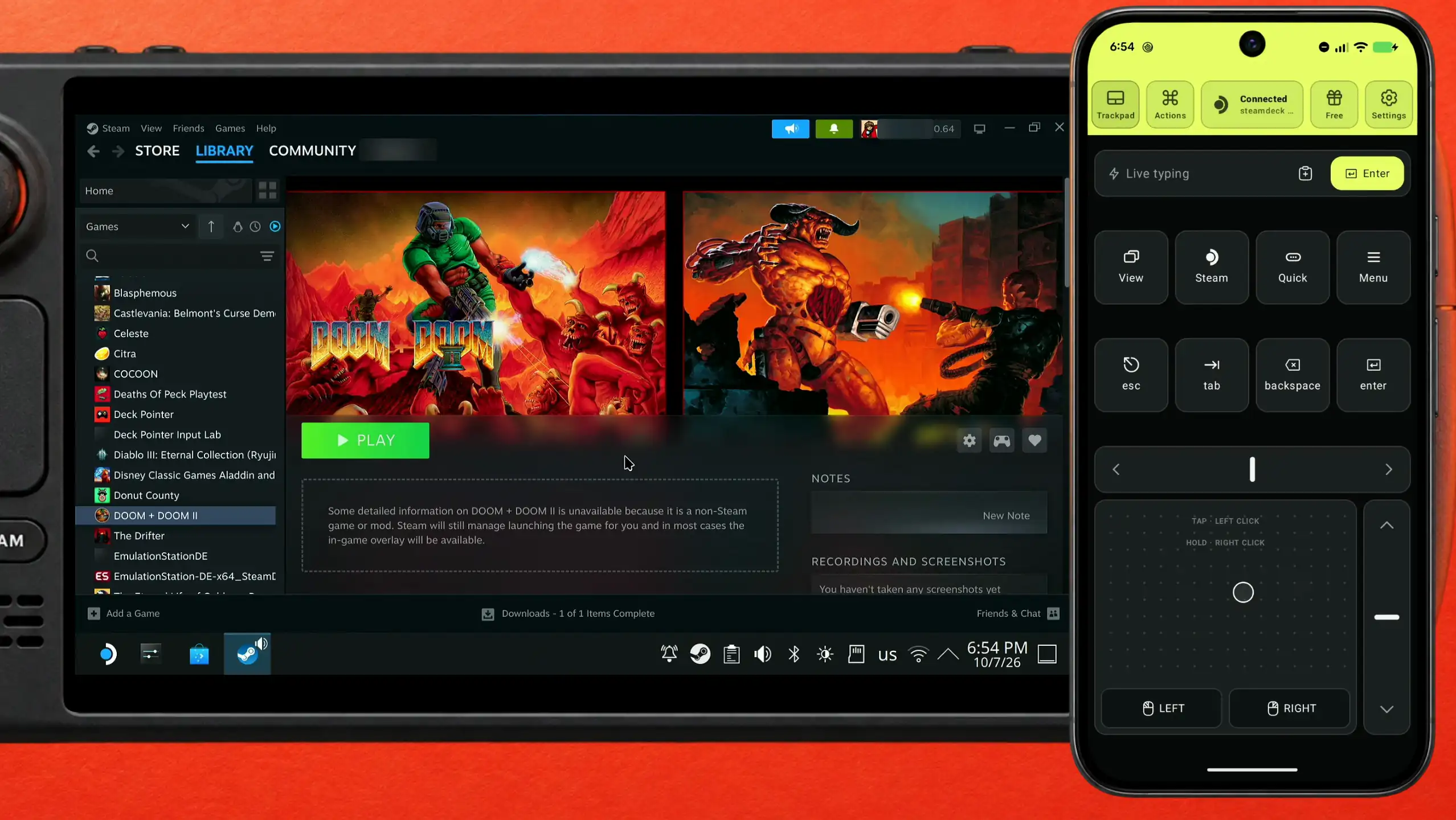
After the restart, open the Library and search for the game again: DOOM + DOOM II is there with a green Play button, next to your Steam games. Heroic keeps running it through Proton behind the scenes.
What people are saying
“secondly, sign in into your account . what a pain . multiple times your correct password is not accepted and you have to go through the most painful captcha of all times.”
“There are better tools available than Galaxy, Heroic Launcher is offically partnered with GOG if that helps.”
A reply in the same GOG forum thread · 2025-06
Questions, answered
Can I install the GOG client itself on the Steam Deck?
Not as a normal app: there is nothing for the Deck in Discover or the Steam store. Heroic is a separate launcher that signs in to the same GOG account, installs your games and runs them through Proton.
Is Heroic Games Launcher part of Deck Pointer?
No. Heroic is a separate free, open-source launcher for Epic Games Store, GOG, and Amazon Games. Deck Pointer is just the mouse and keyboard you use to install it and to sign in.
Do I need to install anything on the Steam Deck for Deck Pointer?
No. The Deck sees your phone as an ordinary Bluetooth mouse and keyboard, so nothing gets installed on the Deck. Only the optional Wi-Fi connection (Android) uses a small app on the Deck, from deckpointer.com/deck.
Does the password I paste go anywhere?
No. It goes from your phone to the Deck over Bluetooth as ordinary keystrokes. It doesn't pass through any server of ours, and we don't log it.
Why doesn't the game appear in Steam right after Add to Steam?
Steam reads its list of games when it starts. Heroic says so itself: a restart of Steam is required for the change to show. Exit Steam completely and start it again.
Why does searching Steam for Doom show DOOM Eternal?
Before the restart Steam only knows the games it already had, so the search matches another game in your library. After the restart the one you added appears too, as DOOM + DOOM II.
What about Epic Games Store and Amazon Games?
Heroic handles them too: the same login screen lists all three, and their libraries sit side by side. There is a separate guide for Epic.