Steam Deck fixes
Full Throttle Remastered Steam Deck: play it with a phone mouse and hotkeys
Full Throttle Remastered is built for a mouse and keyboard: you click hotspots constantly, skip dialogue with a key, and steer the motorcycle with the arrow keys — none of which the Deck's controls map to cleanly.
Valve rates Full Throttle Remastered Playable, not Verified — the game runs, but its Steam Deck Compatibility panel flags that it sometimes shows mouse, keyboard, or non-Steam-Deck controller icons instead of Deck ones. It's a classic LucasArts point-and-click, built entirely around a mouse cursor and a verb coin.
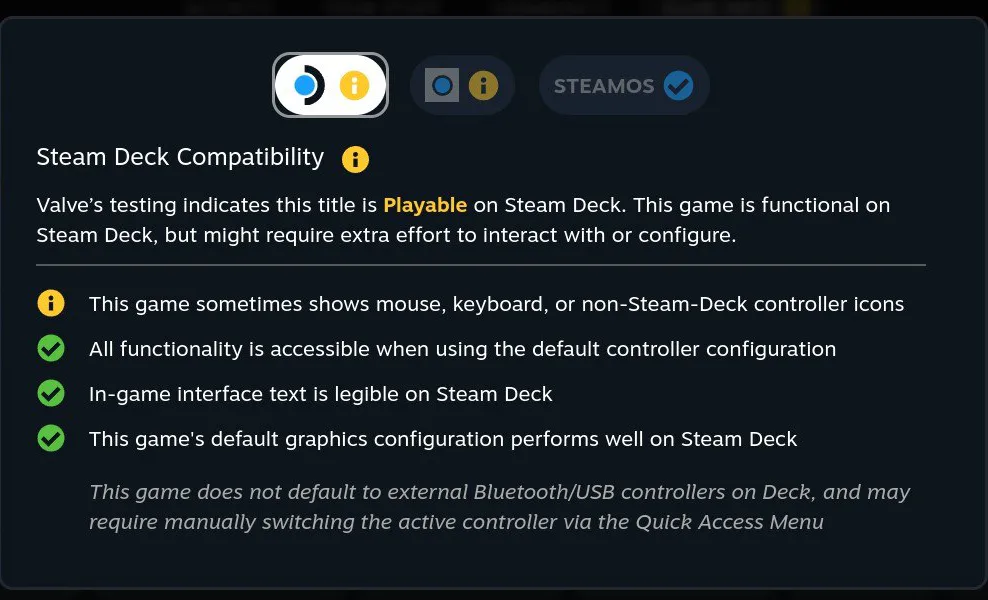
Full Throttle Remastered carries Valve’s Playable rating, not Verified — the compatibility panel calls out mouse and keyboard icons and warns the game won’t default to an external Bluetooth controller on its own. That’s because the game is a classic LucasArts point-and-click: you click hotspots all the time, skip dialogue with the keyboard, and steer the motorcycle with the arrow keys. Deck Pointer turns your phone into all of that at once, with a preset made for this game.
Video tutorial
Step by step
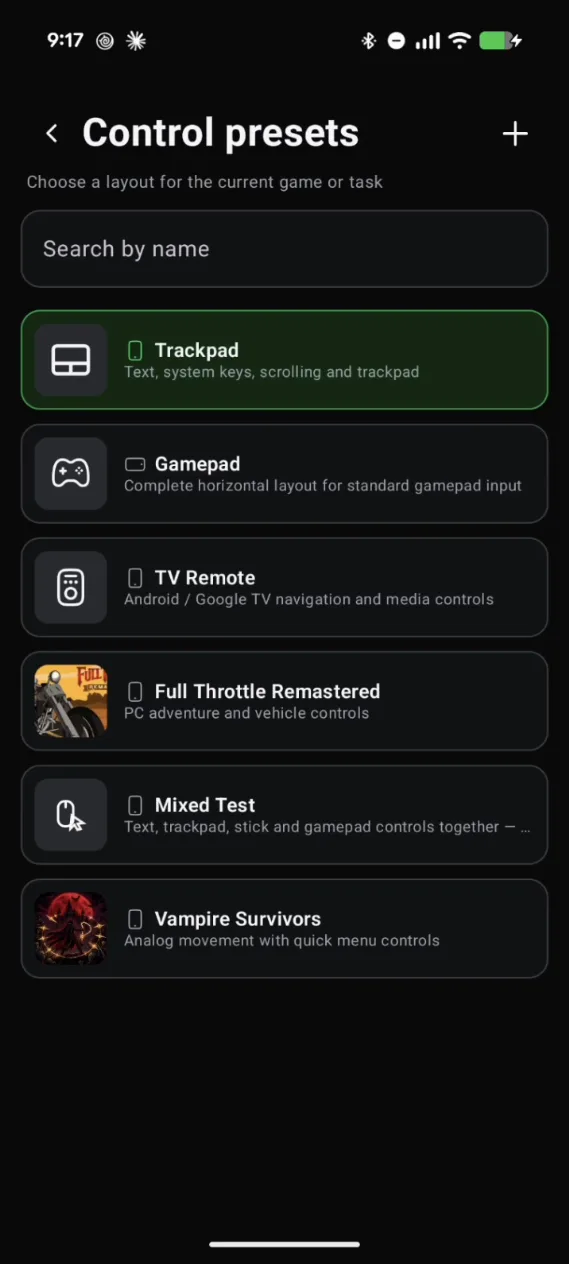
Pick the Full Throttle Remastered preset
With your phone connected to the Deck, open Control presets in Deck Pointer and tap Full Throttle Remastered. The layout is already built for this game — nothing to set up from scratch.
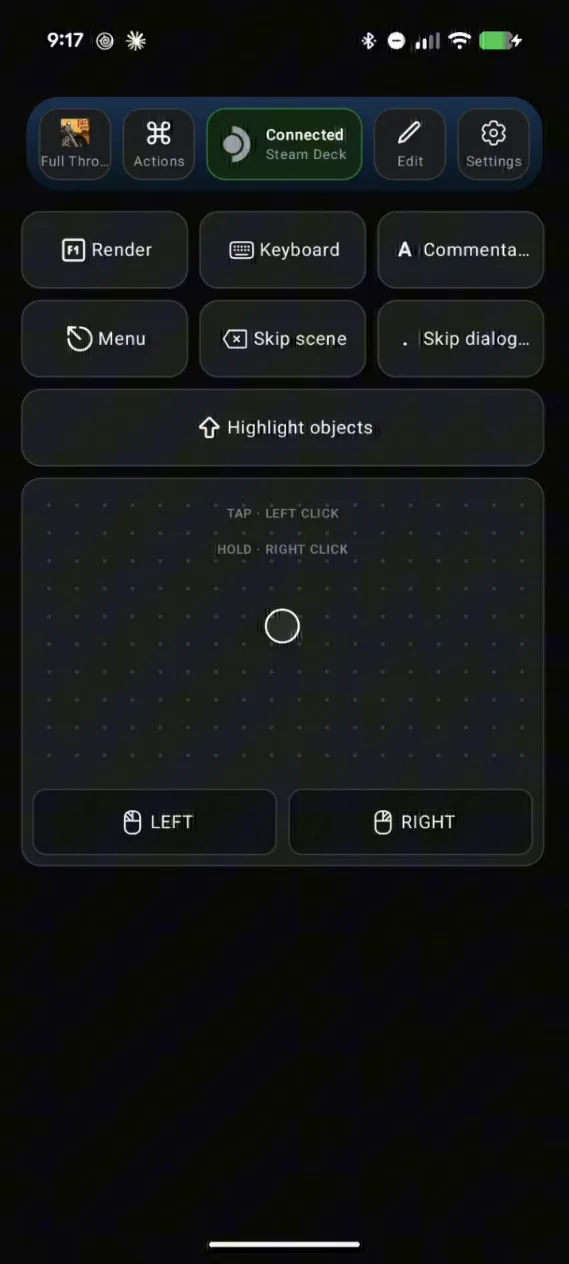
A trackpad and the game's own keys on one screen
The preset gives you a trackpad with Left and Right click for the cursor, plus buttons for the game's keyboard controls: Skip dialog, Skip scene, Highlight objects, Menu, and the remaster's Render, Keyboard, and Commentary toggles.
Tweak the layout in Edit
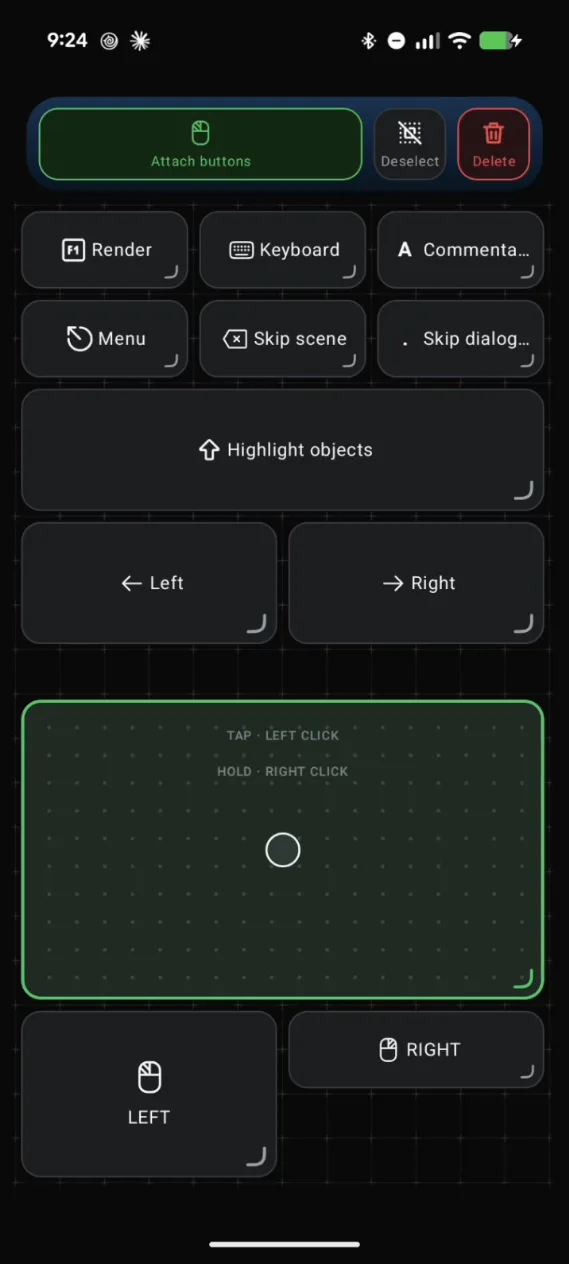
Tap Edit and select any element to change it. For the trackpad, Split buttons turns its attached Left and Right click into separate buttons you can move on their own.
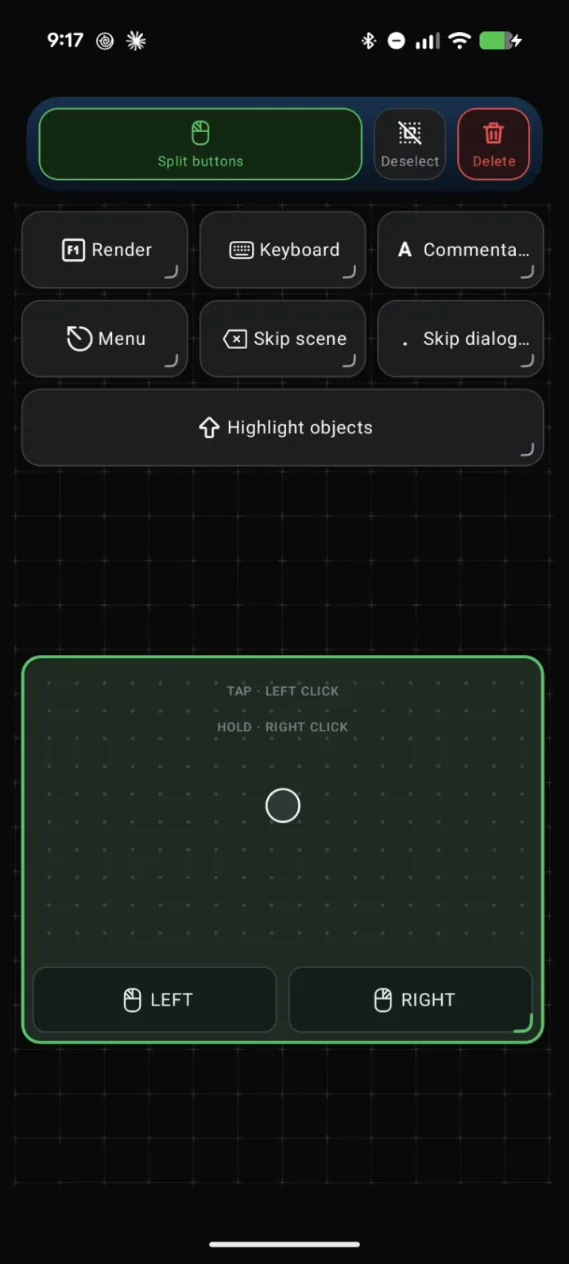
Every button is a key you choose
Open a button to see what it sends. Skip dialog is the period key with the label "Skip dialogue" — one tap skips the current line, and Skip scene skips a whole cutscene.
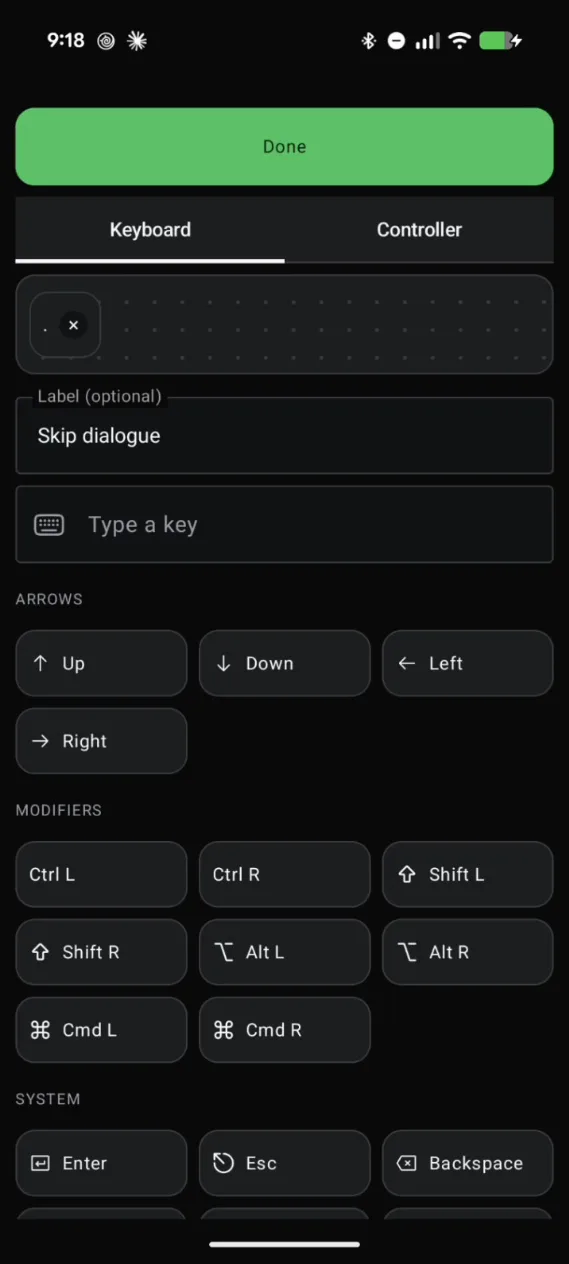
Add Left and Right keys for the motorcycle
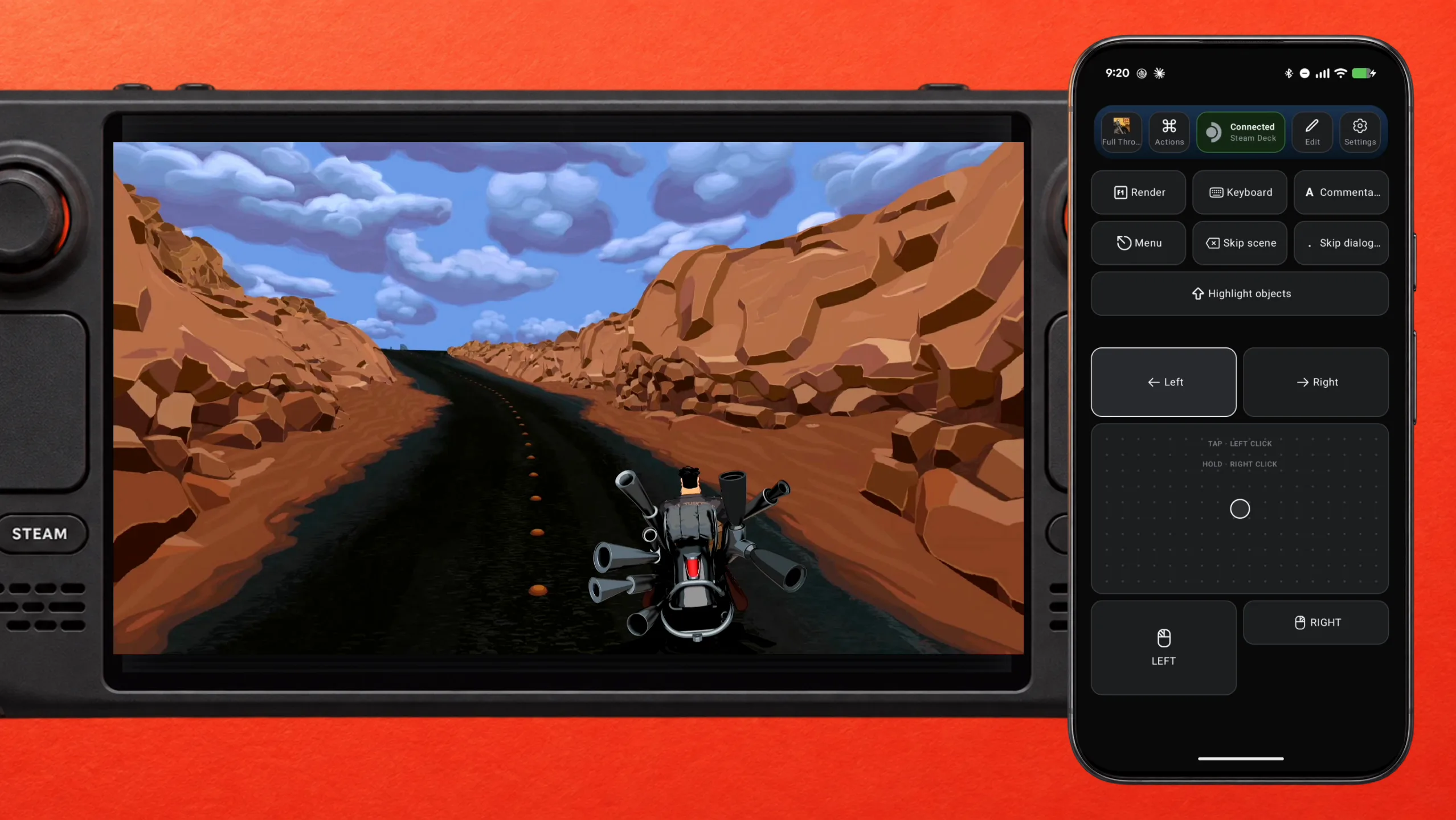
Some parts of the game have you ride a motorcycle and steer left and right with the arrow keys — without them, you crash. Add a new key, pick Left under Arrows, then add another one for Right. You can do this right in the middle of the game.
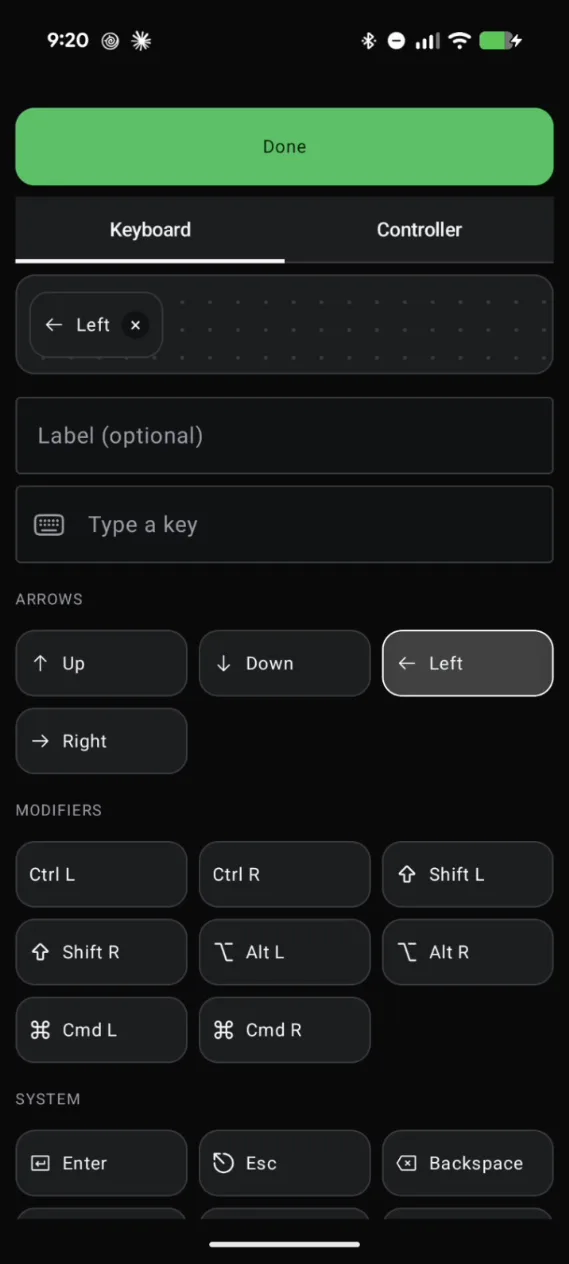
Place them where your thumbs are
Move the new buttons closer and make them taller so they're easy to tap without looking, then tap Done and get back to the game.
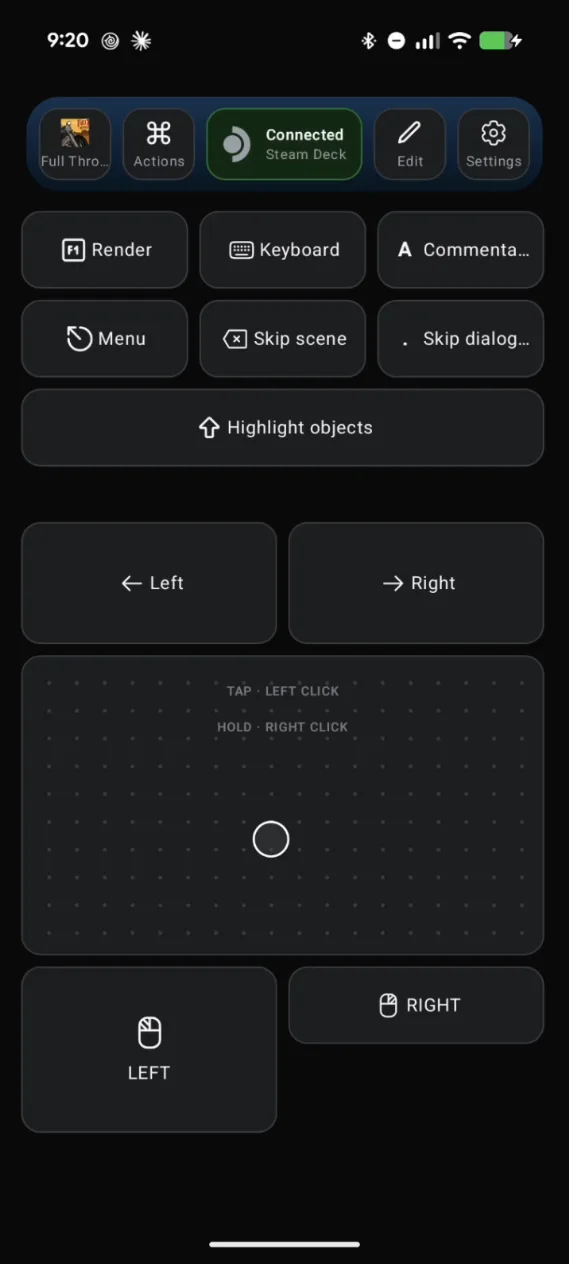
Steer the motorcycle from your phone
Back on the road, press Left or Right on your phone and the bike leans into the turn on the Deck — steer just the way that's comfortable for you.
Hold Highlight objects to see what's clickable
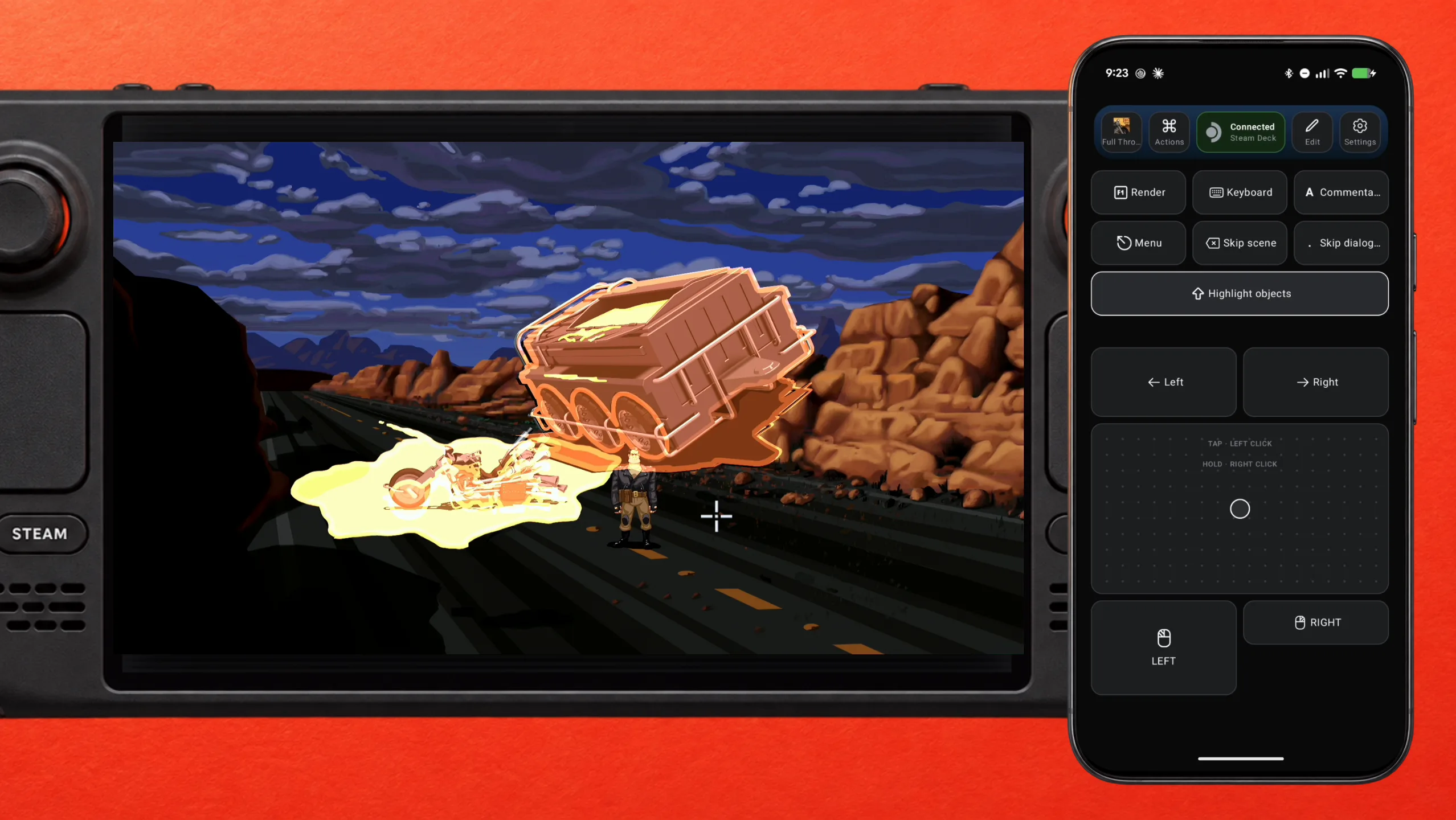
In the exploration parts, you click on everything. Full Throttle shows every hotspot while Left Shift is held — the preset puts that on its own Highlight objects button. Hold it on your phone, and every object you can interact with lights up on the Deck.
Make it yours
Change the keys, the actions, and where every button sits until the layout fits how you play — for example, move the trackpad closer.
What people are saying
“This game sometimes shows mouse, keyboard, or non-Steam-Deck controller icons”
Steam Deck Compatibility panel, Full Throttle Remastered, in-game
“This game does not default to external Bluetooth/USB controllers on Deck, and may require manually switching the active controller via the Quick Access Menu”
Steam Deck Compatibility panel, Full Throttle Remastered, in-game
“The trackpads are accurate but way too small to be a viable input method for shooters”
Steam Deck community feedback on trackpad precision
Questions, answered
Do I have to quit the game to change the layout?
No. Edit the layout on your phone while the game keeps running on the Deck, tap Done, and carry on.
Does anything install on the Deck?
No. The Deck sees your phone as a standard Bluetooth mouse/keyboard/gamepad, the same as any off-the-shelf peripheral — there's no server, app, or account on the Deck side.