Steam Deck fixes
How to enter a long Wi-Fi password on a Steam Deck from an iPhone
The Wi-Fi password is 30 to 60 characters long, and finding every one of them on the Steam Deck's on-screen keyboard is slow, and one wrong key means starting over.
Copy the password on your iPhone, paste it into Deck Pointer, and send it. The Deck’s on-screen keyboard stays closed.
Video tutorial
Step by step
Pair your iPhone with the Deck once
Deck Pointer talks to the Deck over Bluetooth, so it works even when the Deck has no Wi-Fi at all. Once paired, the chip at the top of the app reads Connected. If the Deck was idle for a while, give it a few seconds to reconnect.
Open Internet settings on the Deck
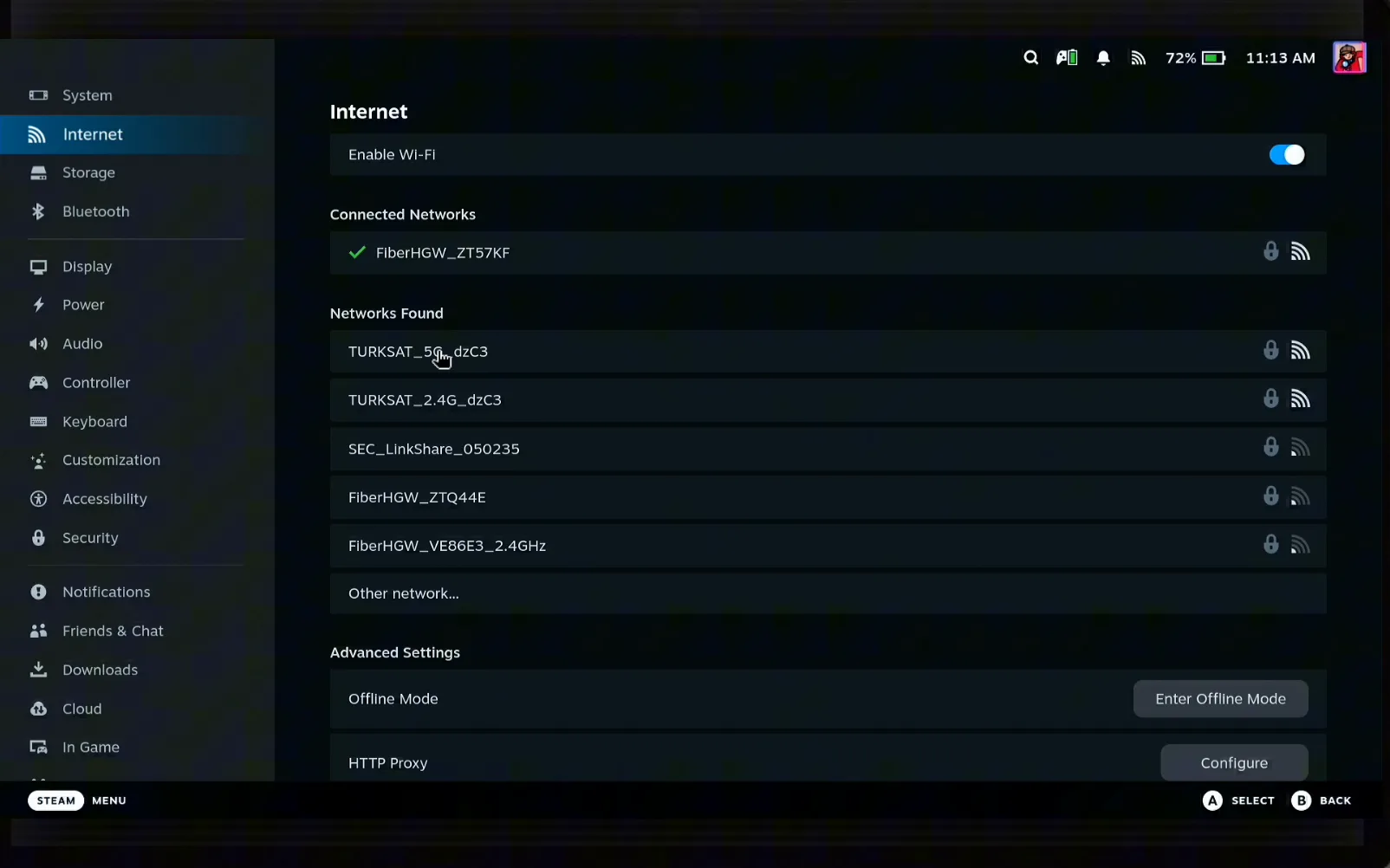
In Game Mode, open Settings and choose Internet. The Deck lists the networks it can see. Note the name of the one you want to join.
Find the network in your iPhone's Wi-Fi settings
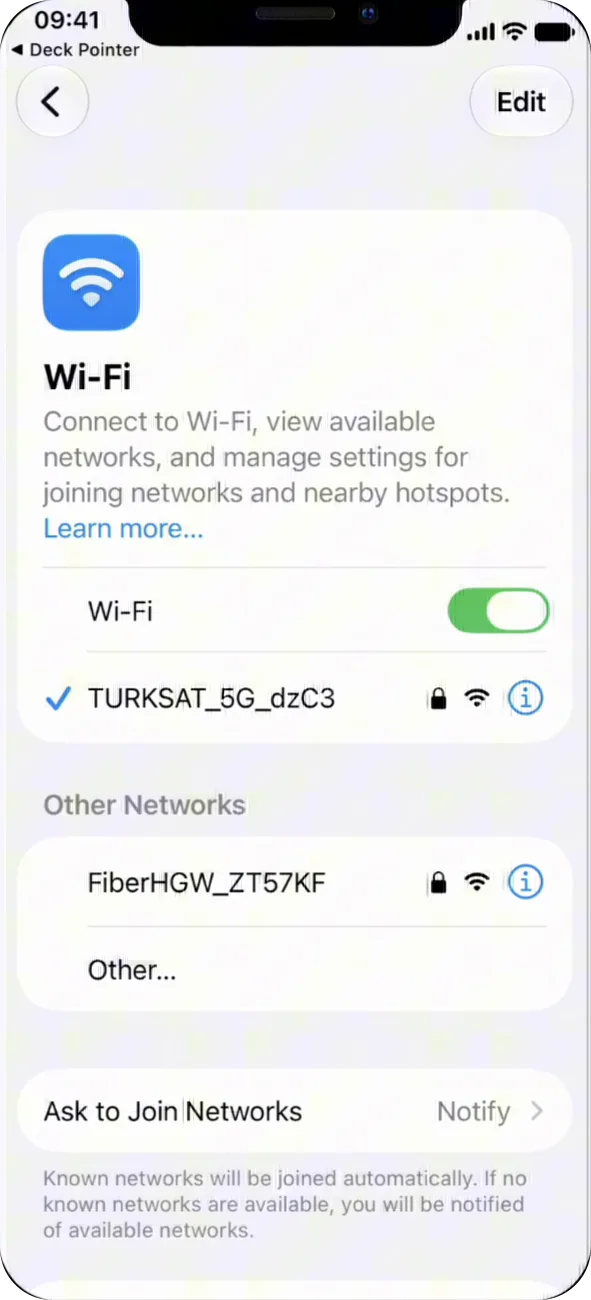
On the iPhone open Settings → Wi-Fi. The network has to be one the iPhone already knows. Tap the ⓘ next to it.
Reveal and copy the password
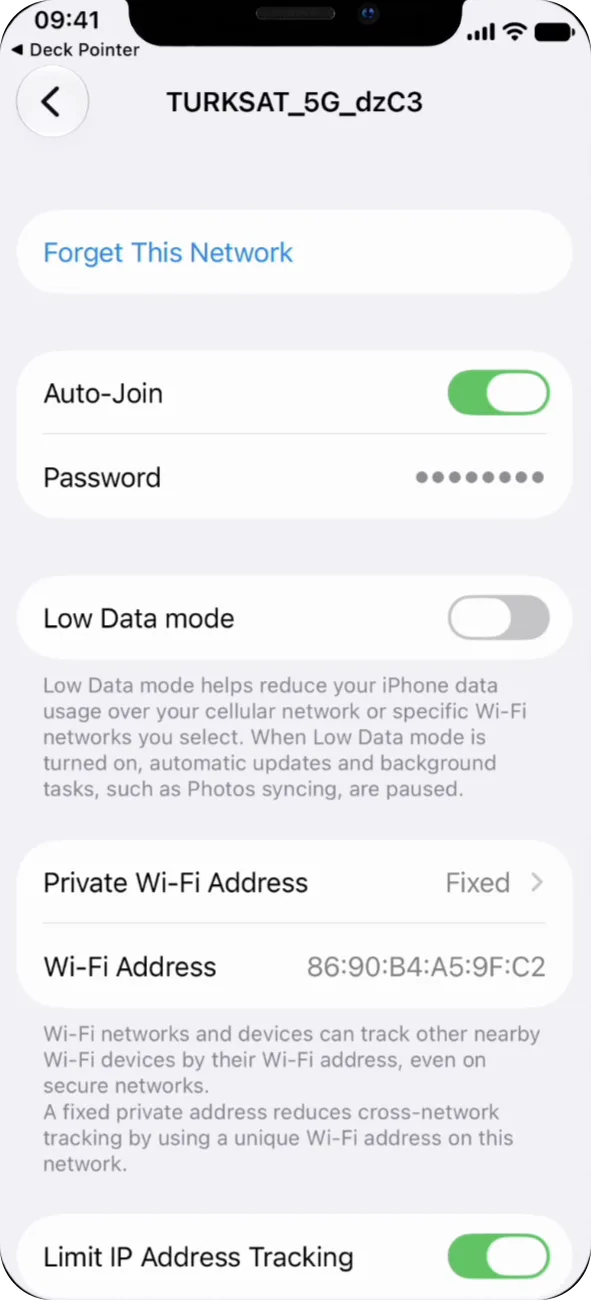
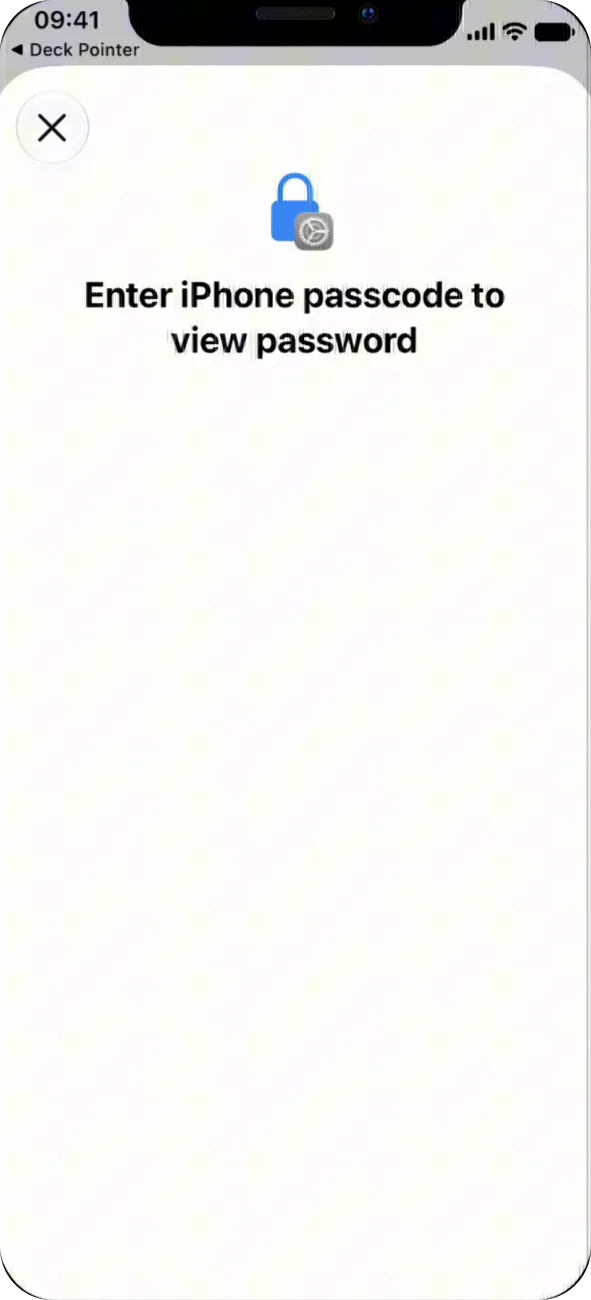
Tap the masked Password row. iOS asks for your passcode before it shows the password. Confirm, then tap Copy.
Pick the network on the Deck
Back on the Deck, select the network in the list and press Connect. The Deck asks for the password and puts the cursor in the field.
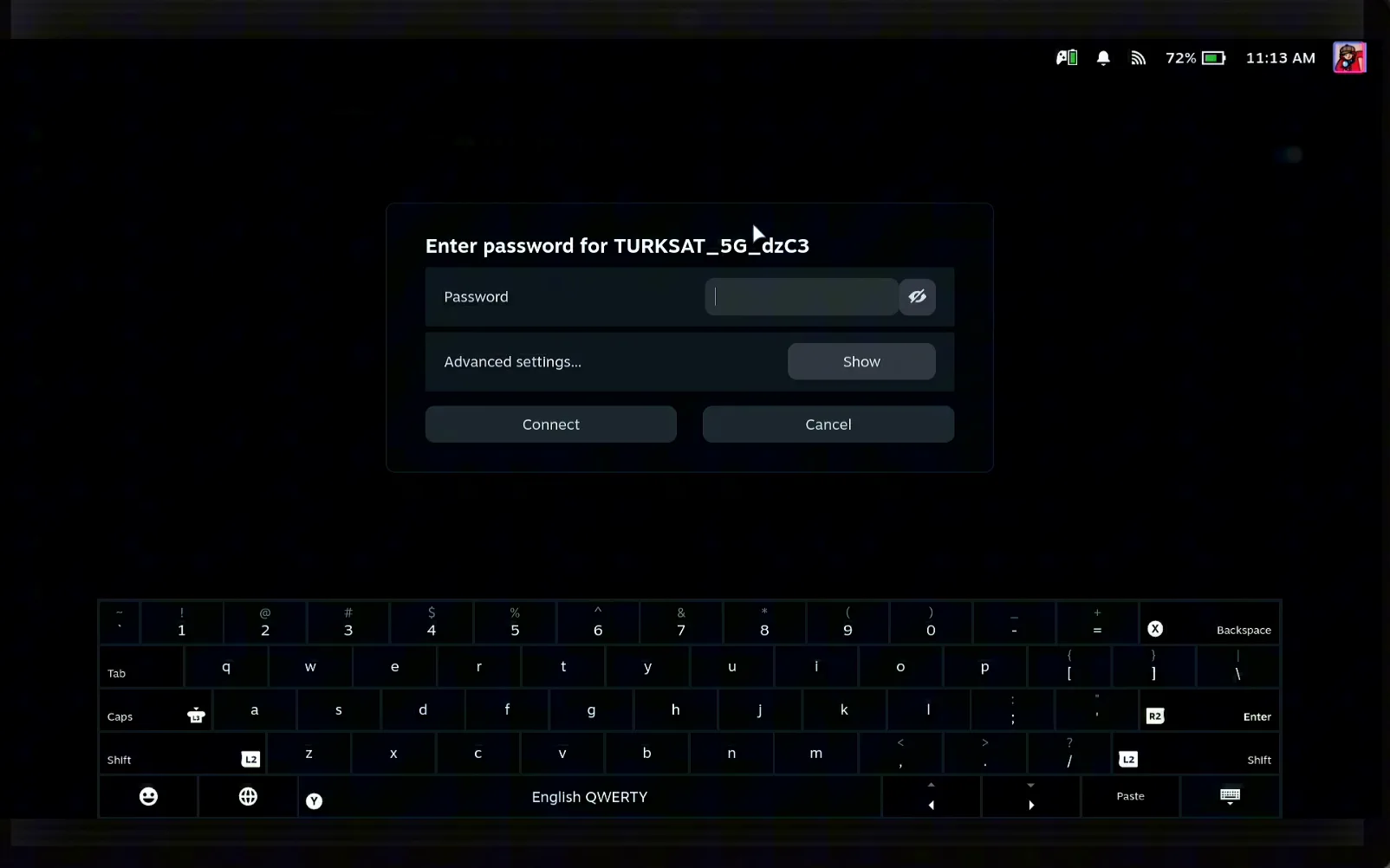
Paste it into Deck Pointer and tap Send
Open Deck Pointer and tap Paste in the text field. iOS asks whether Deck Pointer may paste from Settings, so tap Allow Paste, then tap Send. The whole password lands in the field at once, whatever its length. The field reads Sent when it's done.
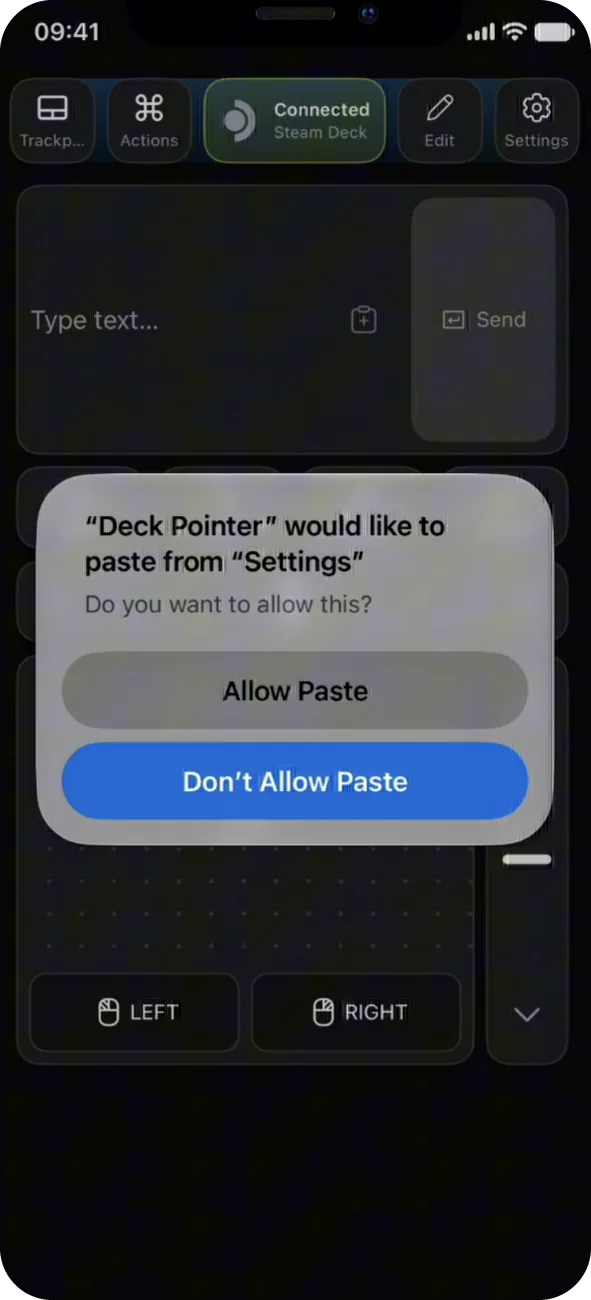
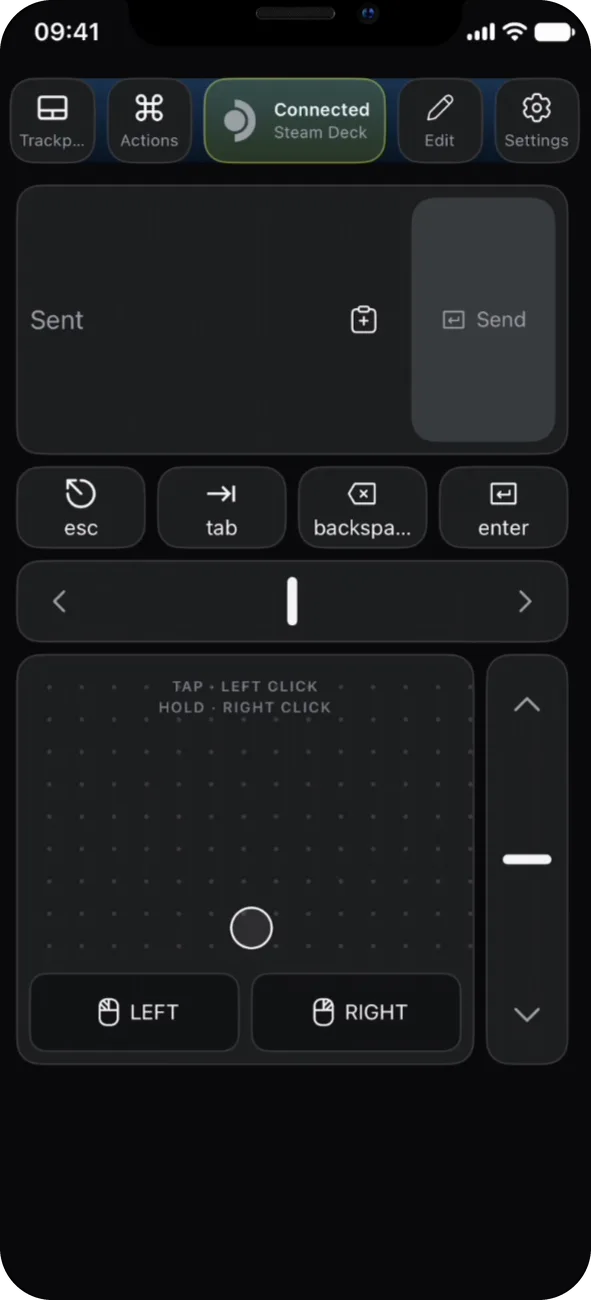
Confirm the connection
Press Connect on the Deck. The network moves to Connected Networks with a check mark.
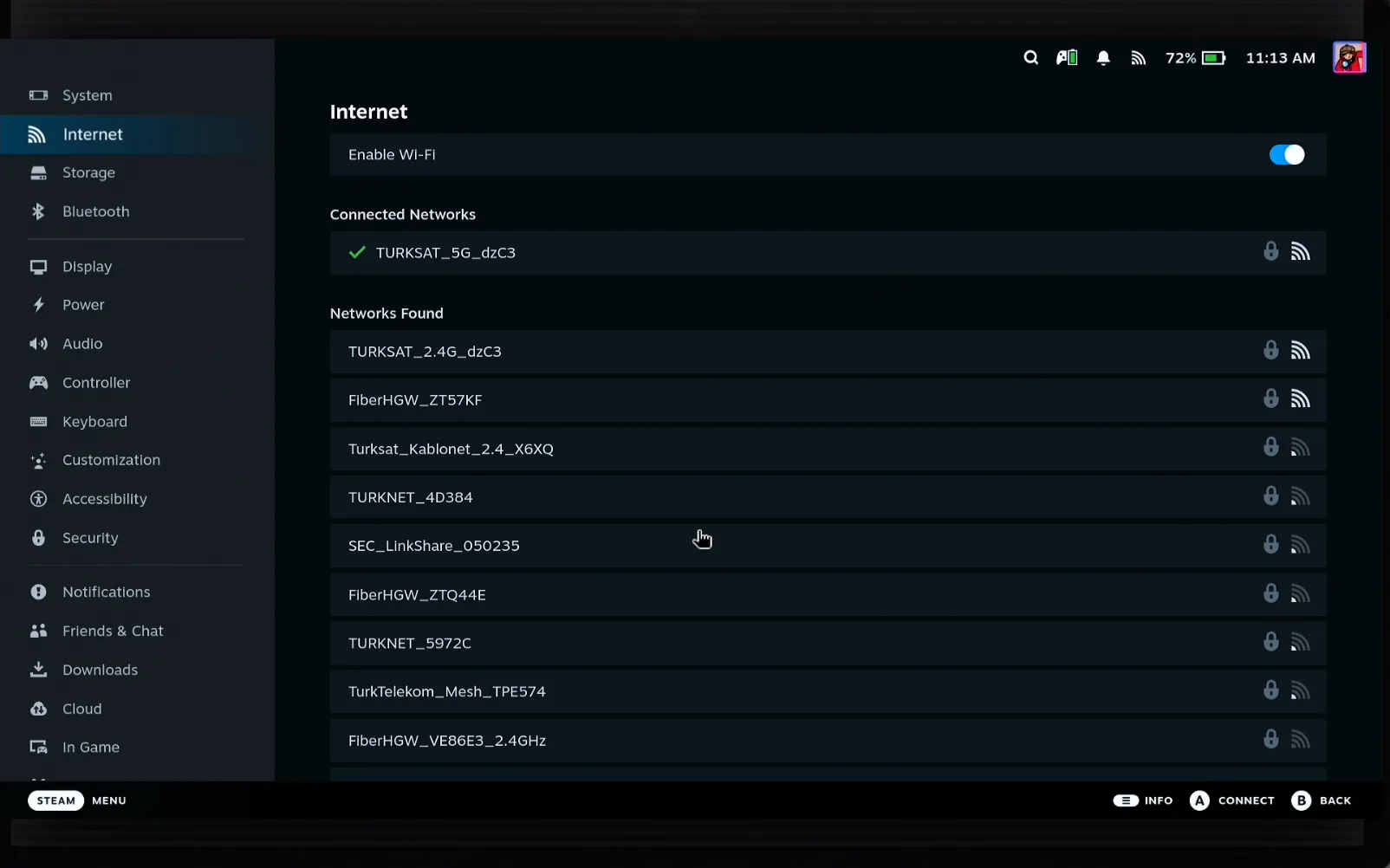
What people are saying
“Trying to login with my super secure 64 digit PW on deck made me crazy.”
Steam Deck community report (Steam account login, same on-screen keyboard)
Copying a Wi-Fi password on an iPhone and sending it to the Steam Deck's password field through Deck Pointer.
Deck Pointer hardware tests · 2026-09
Questions, answered
Does this work if the Deck has no internet yet?
Yes. Deck Pointer sends text over Bluetooth, so it works before the Deck is on any Wi-Fi.
How long can the password be?
As long as the network allows. The password is pasted and sent as one piece of text, so 30 or 60 characters take the same two taps as 8.
Why does my iPhone ask to allow paste?
iOS asks before any app reads what you copied from another app. Tap Allow Paste to let Deck Pointer fill the text field with what you copied.
The password is hidden. How do I see it?
On the network's details screen, tap the Password row and confirm with your passcode. iOS then shows the password and a Copy button.
Do I need Deck Pointer installed on the Deck?
No. The Deck sees your iPhone as a Bluetooth keyboard and mouse, so nothing is installed on it.
Does it work for other long passwords?
Yes. Any text field on the Deck takes pasted text the same way, including launcher and store logins.
I have an Android phone. Is it the same?
The idea is the same, but sharing the password differs. See the Android Wi-Fi password guide.