
Video tutorial
Valve rates Mortal Kombat 11 Verified on the Steam Deck: it runs well there, phone or no phone.
Mortal Kombat 11 fatality inputs are hard to hold in your head. Every fighter has a couple, each at its own range (Close, Mid or Far), and the move list is written for the left side: stand on the right and every Forward becomes Back. By the time you’ve worked it out, Finish Him is over.
You can solve it by playing the whole fight on your phone’s gamepad on a PC or a Steam Deck, then switching to your fighter’s page and tapping once. The phone plays the full input. Below: how the preset works, what each key does, and a few tips.
Why fatality inputs are hard to remember
Every fighter has a couple, each at its own range
After FINISH HIM you have a few seconds to enter a string of directions and one button, from Close, Mid or Far. The pause menu's move list has them all, and Fatality Training lets you practise without a clock.
The move list is written for the left side
Stand on the right of the screen and every Forward becomes Back, so the same fatality is a different input. Easy Fatality tokens skip this, but each token is spent, and the game only offers one for a fatality you haven't unlocked.
Play the fight on your phone
Connect and add the preset
Pair your phone with the Steam Deck over Bluetooth, or with a Windows PC where the game runs through Steam (Steam sees the phone as a controller). In Deck Pointer tap the preset name, Browse more presets, and add Mortal Kombat 11. Nothing is installed on the Deck or the PC.
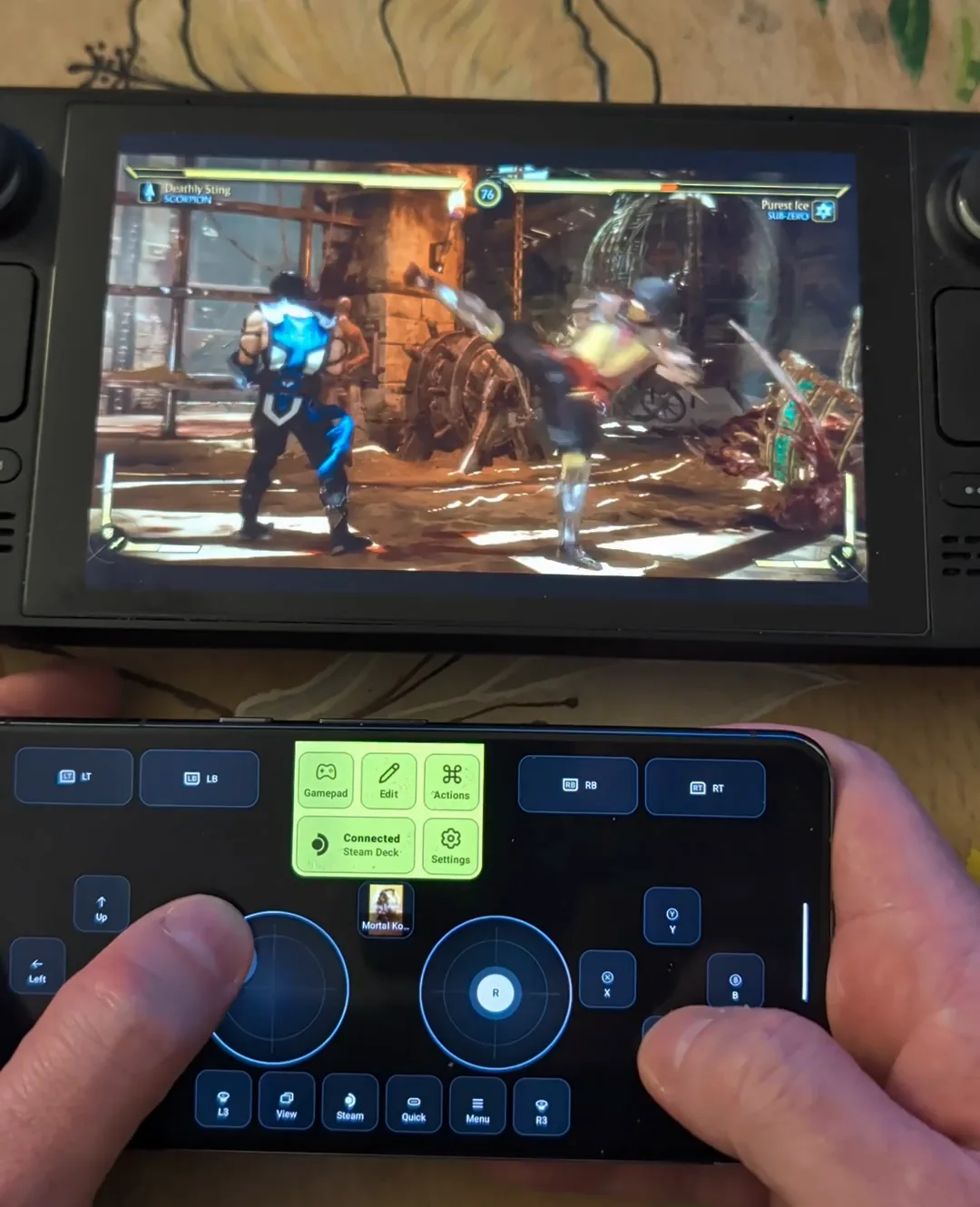
The Gamepad key is the whole controller
It opens a full gamepad: sticks, D-pad, face buttons and triggers. Play the fight on it, so the phone is already in your hands at FINISH HIM.
Finish in one tap
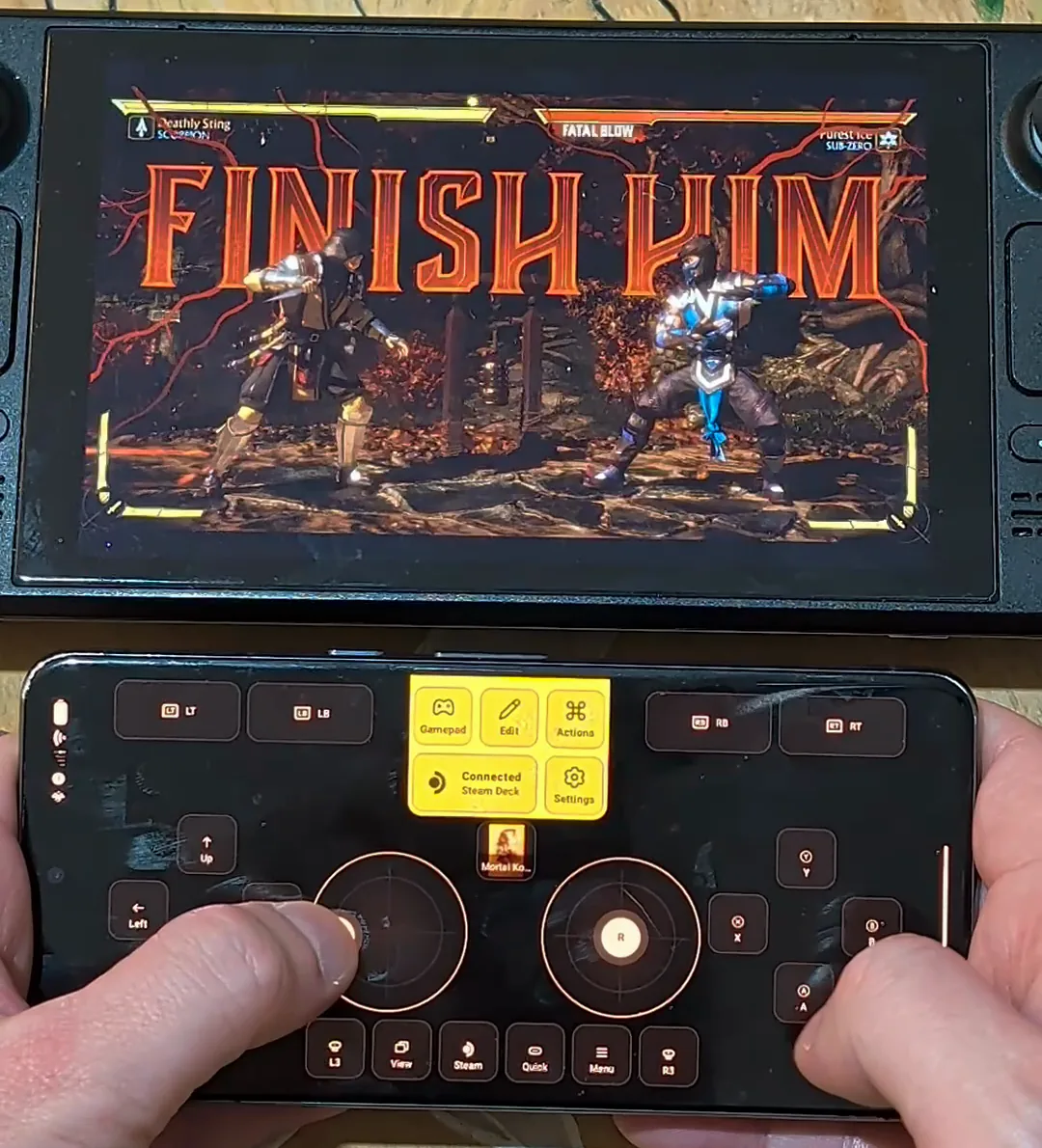
FINISH HIM: switch to your fighter
Tap your fighter's portrait at the top of the preset, then walk to the range written on the key: Close, Mid or Far.
Tap once
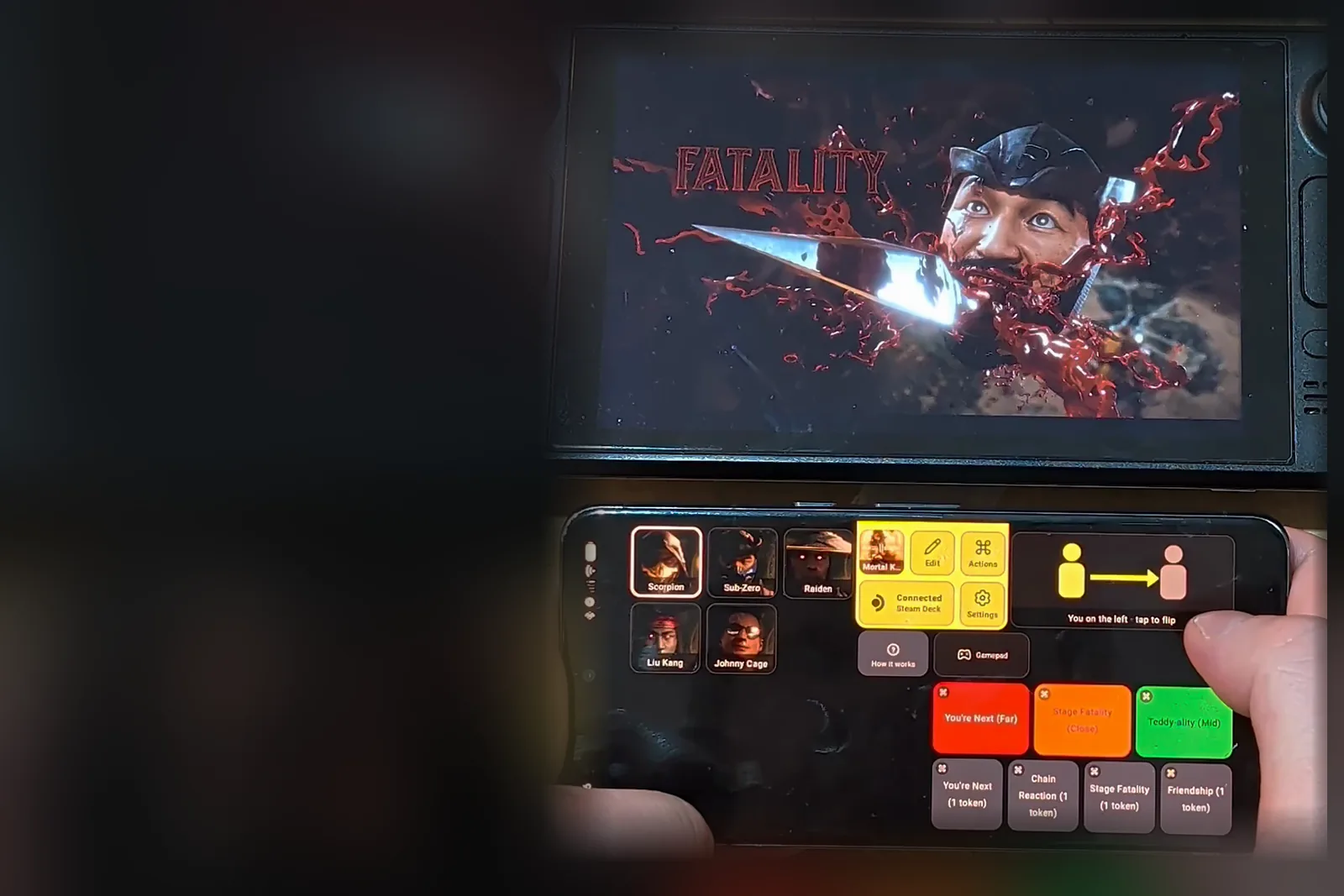
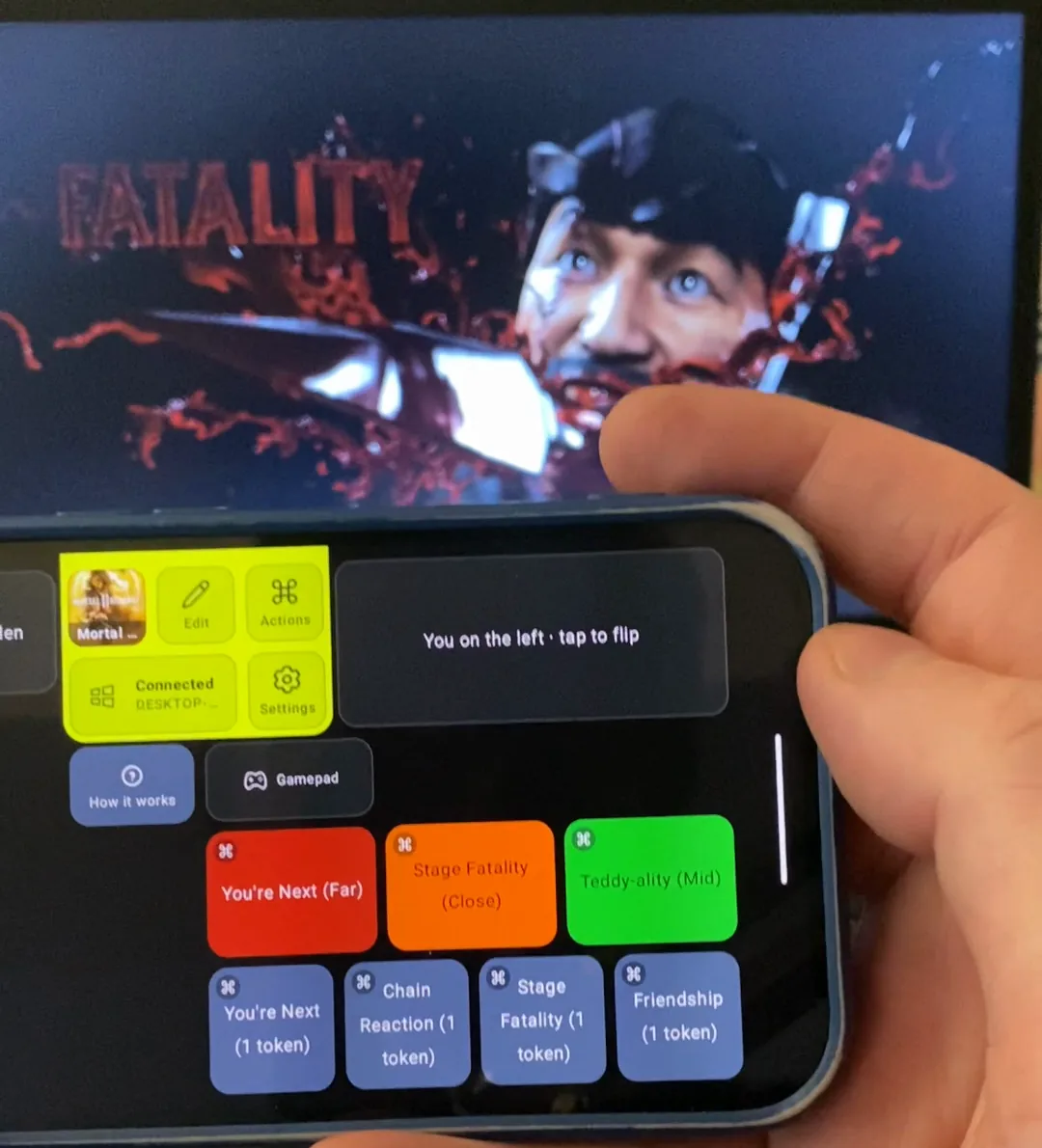
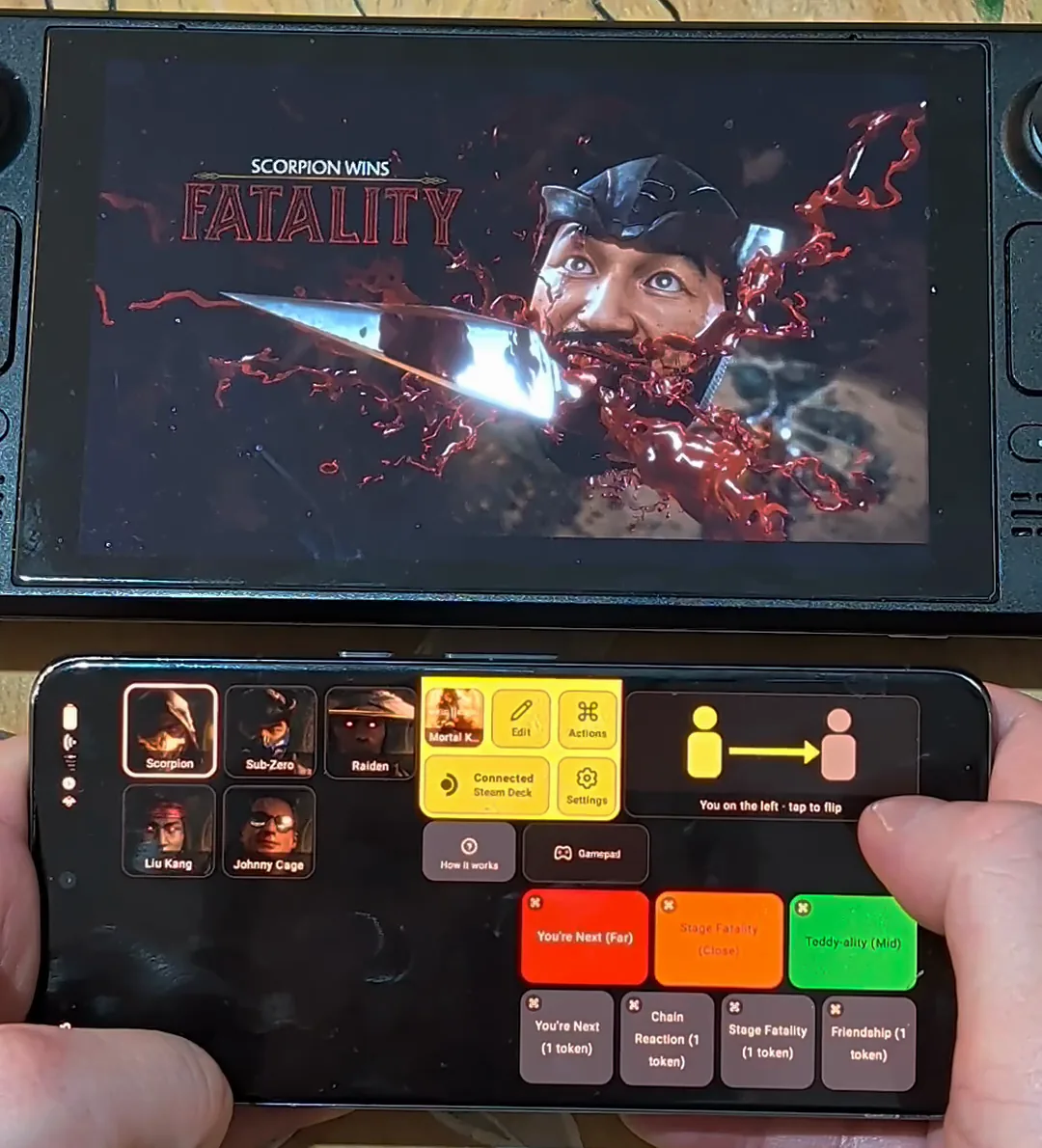
This is a fighter's page, here Scorpion's. The red, orange and green keys are his finishers, each with its range: You're Next (Far), Stage Fatality (Close), Teddy-ality (Mid). The keys under them use tokens, and the key at the top right says which side you're on. Tap a finisher and the phone enters the whole input, while the game's own input line fills in as it plays. In the app's Actions each finisher is a list of steps (for example hold Back, Down, Down, then X), so you can read what it sends.
Mortal Kombat 11EditActionsSettings Scorpion
 Sub-Zero
 Raiden
 Liu Kang
 Johnny Cage
 You on the left · tap to flipHow it worksGamepadYou're Next (Far)Stage Fatality (Close)Teddy-ality (Mid)You're Next (1 token)Chain Reaction (1 token)Stage Fatality (1 token)Friendship (1 token)
What each key does
Red, orange and green
Red is Fatality, orange is Stage Fatality (only on stages that have one), green is Friendship. Each key names its range, Close, Mid or Far. The finisher keys are part of Deck Pointer Pro.
The token keys
The keys underneath use the game's Easy Fatality tokens, one each, for a fatality whose input you haven't unlocked.
On the right? Tap to flip
The two-figure key says where you stand: "You on the left · tap to flip". Tap it when you're on the right, and every finisher on the page plays its input mirrored.
Tips
Practise in Fatality Training first
Learn where Close, Mid and Far are for your fighter before you rely on it in a fight.
Move the keys you use
Edit moves, resizes or removes any key, so the finishers you use most sit under your thumb.
Questions, answered
Can I use it in ranked?
Don't. Tournament rules such as Evo's ban one button that sends several inputs. Use it in story, towers, training and games with friends.
Why does my MK11 easy fatality not work?
Easy Fatality needs a token for each use, and it only works on a fatality whose input you haven't unlocked. The preset's token keys use them. For the rest, the red, orange and green keys play the full input at the range written on the key.
Does it work on PC?
Yes, on a Windows PC with the game through Steam: Steam sees the phone as a controller. It was tested on a Windows laptop with an Android phone. Nothing is installed on the PC.
Does it work on the Steam Deck?
Yes. The Deck sees your phone as a standard Bluetooth gamepad, keyboard and mouse: no server, app or account on the Deck. Mortal Kombat 11 is Steam Deck Verified.
Can I use my phone as a controller for any PC game on Steam?
The Gamepad key works as a full controller on the same connection. This guide is about the Mortal Kombat 11 preset and its fighter pages.
What about Brutalities and the Fatal Blow?
They happen mid-fight, so the preset leaves them to you on the gamepad. Its keys are only for what comes after FINISH HIM.
Is it free?
Adding the preset, the fighter pages and the gamepad are free. The finisher keys and Edit are part of Deck Pointer Pro.
Does it work from an iPhone?
The Mortal Kombat 11 preset needs the next App Store update.


 Steam Deck